

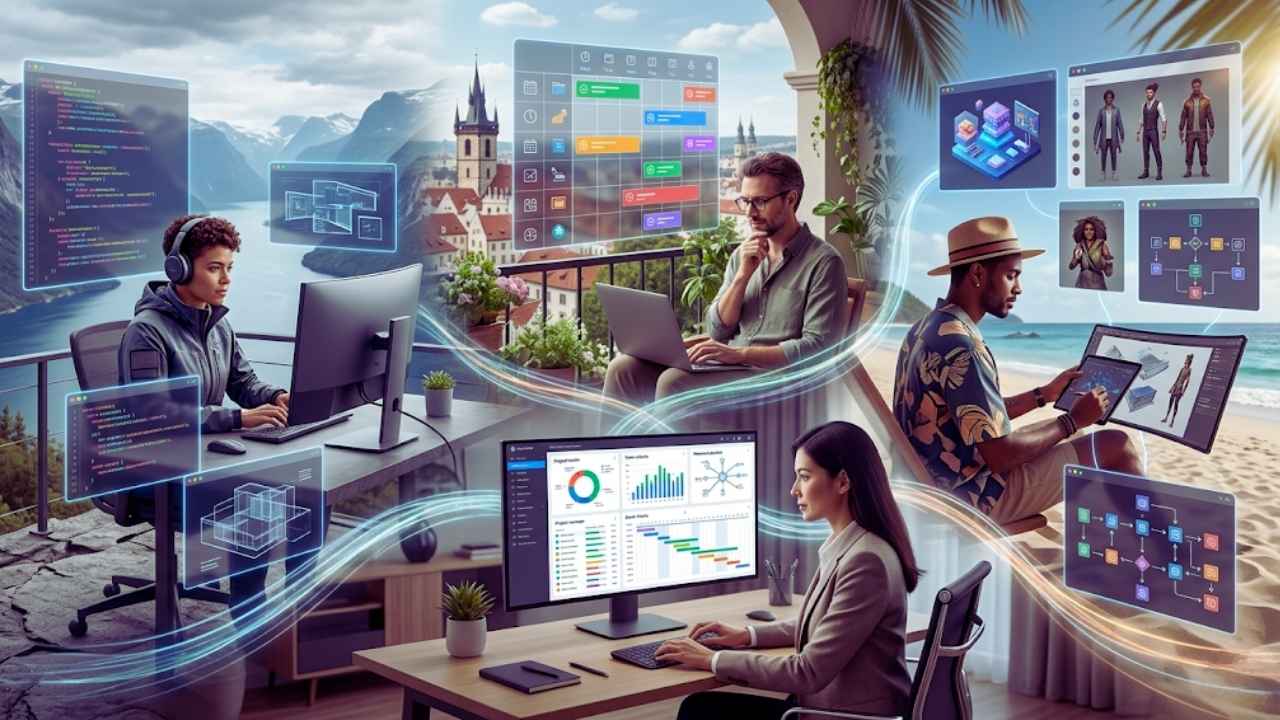
The debate over whether remote work is good or bad is completely over. By the end of 2025, forty-eight percent of the global workforce treated remote work as a standard practice. Now, the conversation has entirely shifted. We are no longer talking about just giving people a laptop and a Zoom account.
Today, companies focus strictly on optimizing deep work, protecting employee attention, and letting artificial intelligence handle the administrative tasks that used to eat up our days. The best tools for remote teams 2026 are built to reduce noise, automate routine steps, and help teams collaborate asynchronously. If you look at the current state of enterprise culture, cognitive work no longer follows a strict nine-to-five schedule. Deep thinking requires uninterrupted focus, and the software we use needs to respect that reality.
This year, we are seeing the massive rise of agentic AI and spatial computing stepping out of the gaming world and right into the virtual office. With all these shiny new applications hitting the market, it can feel overwhelming to figure out what your team actually needs. I put together this honest comparison to help you cut through the marketing jargon and find the software that will actually make your distributed workforce better, faster, and much more savvy.
The Remote Landscape in 2026: What Has Actually Changed?
We moved from simply surviving with a laptop on a kitchen table to mastering advanced asynchronous practices. If your team is spread out across Tokyo, London, and New York, forcing everyone onto a live video call makes zero sense. Companies are now actively investing in digital setups that encourage employees to log off and protect their mental space. The modern toolkit focuses heavily on automation, ensuring that while you sleep, your software is still moving projects forward.
|
Trend |
2025 Reality |
2026 Reality |
|
Work Hours |
Strict overlapping schedules |
Asynchronous, results-based hours |
|
AI Usage |
Chatbots for brainstorming |
Autonomous agents executing tasks |
|
Meetings |
Default to one-hour live video calls |
Default to recorded asynchronous video |
|
Hardware |
Single laptop setups |
Multi-screen spatial computing |
Top AI-Powered Project Management Software
When was the last time you checked your tasks without feeling an immediate spike in your stress levels? Modern project management removes that anxiety entirely. The systems we use today actively predict bottlenecks instead of just logging them passively. If a designer is overloaded, the system knows before they miss the deadline. These applications have evolved from simple digital to-do lists into highly intelligent systems that practically manage the projects for you.
|
Software |
Best For |
2026 Standout Feature |
Pricing |
|
Asana |
Structured workflows |
Predictive risk management |
Starts free, paid tiers from $10.99 |
|
ClickUp |
Replacing multiple apps |
Deep conversational AI integration |
Starts free, paid tiers from $7.00 |
|
Monday.com |
Visual automation |
No-code visual automation builders |
Starts free, paid tiers from $9.00 |
Asana: The King of Predictive Productivity
Asana has always been a reliable choice for organizing complex workflows, but their recent AI updates have pushed them to the absolute front of the pack. Asana does not just track what you are doing anymore. It actively predicts what might go wrong before it actually happens. For remote teams, visibility is everything. Asana provides an incredibly clear view of multistage projects, organizing them into boards, timelines, and lists. But the real magic happens with its AI-powered productivity recommendations. The system analyzes your team workload and past performance to flag potential bottlenecks early.
If it notices that your lead engineer is overloaded and historically misses deadlines when juggling more than three projects, Asana will proactively suggest reassigning tasks to someone else with a lighter load. The honest truth is that Asana is brilliant for teams that need strict organization and predictive risk management. However, the interface can still feel a bit rigid for creative agencies that prefer a more free-flowing workspace. It is best suited for structured marketing teams, software development lifecycles, and operations departments that thrive on predictability and strict deadlines.
ClickUp: The Ultimate All-in-One Workspace
ClickUp has spent the last few years aggressively marketing itself as the one app to replace them all, and in 2026, they are closer to that reality than ever. If your team is suffering from serious app fatigue ~ constantly switching between different tools for documents, spreadsheets, and task tracking ~ ClickUp offers a massive relief. What makes ClickUp stand out right now is how deeply they have integrated AI into their core architecture. You can literally ask ClickUp questions about your projects in plain English.
If you have been on vacation for a week, you can open the app and ask it to summarize everything your team accomplished on the website redesign project while you were gone. It pulls data from task comments, document edits, and status changes to give you a perfect brief instantly. The downside to ClickUp is the steep learning curve. Because it can do absolutely everything, setting it up can feel like assembling a spaceship without a manual. You have to be very intentional about how you configure your spaces, folders, and lists, otherwise, it turns into a chaotic mess. But once you get it dialed in perfectly, it is incredibly powerful for remote teams of all sizes.
Monday.com: The Best for Visual Workflow Automation
If your brain works in colors, charts, and highly visual boards, Monday.com is still the reigning champion. It is heavily favored by remote teams that need to see the big picture at a single glance without reading through blocks of text. In 2026, Monday.com has refined its automation builder to be so intuitive that you do not need to know a single line of code to create complex triggers. You can set it up so that when a client approves a design, the system automatically moves the task to the development board, assigns it to a front-end engineer, sends a notification in your communication app, and logs the billable hours.
While it is exceptionally user-friendly, some highly technical software engineering teams find Monday.com a bit lacking in deep, granular sub-task management compared to something like Jira. But for sales pipelines, HR onboarding workflows, and creative production schedules, its visual appeal and ease of use make it a massive crowd-pleaser that requires very little training to adopt.
Communication and Collaboration: Moving Beyond the Noise
Communication remains the absolute core of distributed work. But the expectation of instant replies to every ping is dead. The biggest trend right now is asynchronous communication. We want software that connects us without constantly breaking our concentration with notification sounds. The best tools for remote teams 2026 help filter out the garbage and highlight only the messages that require actual human decision-making.
|
App |
Core Strength |
Asynchronous Focus |
Best Use Case |
|
Slack |
Integration |
AI thread summaries |
Tech startups and agencies |
|
MS Teams |
Enterprise security |
Copilot meeting notes |
Regulated corporate environments |
|
Loom |
Screen recording |
Transcribed async video |
Explaining complex software workflows |
Slack: The Reigning Champion of Integrated Chat
With nearly forty million active users, Slack remains the default operating system for remote team communication. But it is not just a loud chat room anymore. Slack has leaned heavily into automation and AI to fix the biggest problem it originally created ~ notification overload. Slackbot is now genuinely useful. If you wake up to a channel with fifty new messages, you no longer have to read through people arguing over lunch spots to find the actual project update. You just ask Slackbot to summarize the thread, and it gives you a clean, bulleted list of the decisions made.
Furthermore, with thousands of app integrations, you can approve expenses, merge code repositories, and reply to customer support tickets without ever leaving the main Slack window. The honest catch with Slack is that it still requires strict cultural rules within your company. If your team expects instant replies to every direct message, Slack will still burn them out fast. You have to actively build a company culture that respects delayed responses and protects focus time.
Microsoft Teams: The Enterprise Standard
Nobody really loves Microsoft Teams, but absolutely everyone respects it. If you are working in a large enterprise, a highly regulated industry like healthcare or finance, or a company that is deeply entrenched in the Microsoft ecosystem, Teams is an absolute necessity. Teams has improved massively by 2026, largely thanks to Microsoft Copilot integration. Copilot can attend a Teams meeting for you if you double-booked your calendar.
It will take perfectly structured notes, capture action items, and even note the general sentiment of the conversation so you know if the client was happy or annoyed. The security features are also unmatched for corporate environments, offering deep compliance tracking, advanced permission settings, and data loss prevention protocols. It still feels a bit clunky and corporate compared to the fun, snappy interface of Slack. But for sheer utility, enterprise security, and deep integration with Office tools, Microsoft Teams is impossible to ignore.
Asynchronous Video: Loom and Descript Taking Over

The most significant shift in remote communication this year is the realization that most meetings could have just been a video. Tools like Loom and Descript are saving companies thousands of hours every single month. Loom allows you to record your screen and your face simultaneously. Instead of trying to type out a massive, confusing email explaining how to use a new software feature, you just record a quick two-minute video and drop the link in your chat.
The recipient can watch it at double speed whenever they have free time. Descript takes this entire process a step further by treating video editing exactly like text editing. You record your video, and Descript transcribes it instantly. If you said a word wrong or had too many filler words, you just delete the text in the transcript, and the video seamlessly edits itself without rendering timelines. These asynchronous video tools are drastically reducing calendar congestion and giving remote workers their actual time back.
The Rise of AI Agents in Remote Work
This is the biggest shift of the year. Standard chatbots that just answer questions are completely outdated. We now use autonomous agents that execute multi-step tasks across multiple platforms without our help. You give them a goal, and they figure out the steps to achieve it. Whether it is managing a chaotic inbox or updating a massive knowledge base, AI agents are acting as fully capable digital teammates.
|
Agent Platform |
Scope |
Primary Function |
Setup Difficulty |
|
Lindy |
Personal |
Inbox management, scheduling, personal tasks |
Very easy (No-code) |
|
Claude Agents |
Custom |
Self-improving coding and writing workflows |
Medium (Prompt engineering) |
|
Zapier AI |
Organizational |
Company-wide cross-app task orchestration |
Medium to High |
Lindy: The Best for No-Code Multi-Agent Workflows
Lindy has emerged as one of the most exciting tools for remote teams who are totally tired of repetitive administrative work. It operates primarily as a personal AI work assistant. By texting your Lindy assistant via SMS or iMessage, you can delegate tasks like inbox management, drafting emails, and setting up meetings. Lindy handles these things proactively, much like a real human assistant would. You can set up a Lindy agent to monitor your shared support inbox.
When an email comes in, the agent reads it, checks your database for the customer history, drafts a highly personalized reply, and routes a summary to your team chat. You can even have multiple Lindy agents working together simultaneously. For example, before a major sales call, one agent reviews the client history, another drafts a pitch outline, and a third creates an event in your calendar. After using it for a while, it really stops feeling like software and starts feeling like you hired an extremely competent, hyper-organized digital assistant who simply never sleeps.
Claude Managed Agents: The Self-Improving Assistant
Anthropic recently dropped a massive update for Claude, introducing features that make it a powerhouse for custom AI workflows. Previously, AI agents would forget things or get confused over long periods because their memory banks would fill up with outdated junk. With the newer models, Claude takes time to review past sessions, reorganize its memories, and identify patterns in how you work. It cleans up contradictions and learns from its mistakes automatically.
If your remote development team uses Claude to help write and debug complex code, the agent will naturally learn your specific coding preferences, formatting rules, and architectural style over time without you having to constantly remind it. It is the closest thing we have to software that actually gains experience on the job. Remote content teams also use Claude to manage large editorial calendars, relying on its massive context window to hold hundreds of pages of brand guidelines in its active memory.
Zapier AI: The Orchestration Master
Zapier has always been the digital glue holding the internet together, but their transition into AI orchestration has made them indispensable for remote teams in 2026. While Lindy is a personal assistant, Zapier Agents are designed for organization-wide impact. They work as specialized AI teammates, plugging directly into your business-critical systems to handle tasks like support ticket management, knowledge base updates, and employee onboarding.
Zapier allows you to connect thousands of different apps, and now you can put an AI brain right in the middle of those connections. You can create a workflow where a new lead filling out a form on your website triggers an AI model to research that lead on LinkedIn, generate a customized outreach email, save it as a draft in your inbox, and add a task to your CRM to follow up in exactly two days. Zapier handles the complex routing of data behind the scenes, making it the ultimate tool for automating away the busywork across an entire company.
Spatial Computing and Virtual Reality Workspaces
Putting on a headset for a meeting felt goofy a few years ago. Now, WebXR and spatial computing platforms make virtual reality a normal business practice. It is not something you wear for eight hours a day, but it breaks up the flat-screen monotony perfectly. Testing applications across geographic locations, controlling remote hardware, and collaborating on 3D models are now completely viable in mixed reality.
|
Device/Platform |
Market Focus |
Hardware Requirement |
Best Use Case |
|
Meta Horizon |
Accessible VR |
Meta Quest series |
Brainstorming, social connection |
|
Apple Vision Pro |
Premium AR |
Apple Vision Pro |
High-end design, infinite screens |
|
WebXR |
Universal |
Any modern browser |
Testing spatial apps remotely |
Meta Horizon Workrooms: The Accessible VR Office
Meta has spent billions of dollars trying to make the virtual office happen, and it is finally clicking for distributed teams. Remote work can sometimes feel incredibly lonely, and traditional video calls do not do a great job of fostering actual human connection. Horizon Workrooms attempts to solve this exact problem by putting you and your avatars in a shared virtual space. It is surprisingly effective for brainstorming sessions. You can stand up, walk over to a virtual whiteboard, and draw out ideas with your team just like you would in a physical office building.
The spatial audio makes it feel like people are actually sitting next to you, directing their voice from a specific corner of the room. With Meta headsets holding massive market share, this is the most accessible way to get your remote team into VR without breaking the bank. It is perfect for a one-hour creative kickoff or a team-building session where standard flat screens feel too restrictive.
Apple Vision Pro Workflows: Premium Spatial Computing
When Apple pushed into spatial computing, they focused heavily on deep productivity. For remote workers, the Vision Pro acts as an infinite, unlimited canvas. You are no longer limited by the physical size of your laptop screen or the space on your desk. You can pin a giant web browser to the wall of your living room, float your chat app above your coffee table, and have your code editor taking up your entire field of view simultaneously.
For designers, architects, and engineers working remotely, the ability to pull a 3D model out of a screen and inspect it from all angles in your actual physical room is revolutionary. The honest drawback here is the massive price tag and the physical comfort. It is a premium, expensive piece of hardware, and wearing it for extended periods can cause neck fatigue. But as a glimpse into the future of the ultimate remote workstation, its display clarity and eye-tracking utility are completely unmatched by anything else on the market.
Essential Tools for Knowledge Management
Information gets lost incredibly fast when your team is scattered globally across different time zones. If your company policies sit in random chat threads, you waste hours hunting them down. A centralized digital brain is not optional anymore. The best tools for remote teams 2026 ensure that institutional knowledge is documented, searchable, and easily accessible by anyone, anywhere, at any time.
|
Knowledge Tool |
Structure Style |
Best For |
AI Feature |
|
Notion |
Highly structured databases |
Building company wikis |
Document summarization & Q&A |
|
Mem |
Unstructured, auto-organizing |
Fast-moving creative teams |
Contextual surfacing of old notes |
Notion: The Uncontested Knowledge Base
Notion remains the absolute best tool for building a structured company wiki. It is basically digital Lego blocks. You can build out complex databases, simple text documents, kanban boards, and interactive onboarding portals exactly how you want them to look. Notion AI has made it even better by allowing you to instantly summarize long, boring documents or ask questions about your entire workspace.
If a new remote hire needs to know the company policy on expensing home office equipment, they do not need to bother the HR manager. They just ask Notion AI, and it pulls the exact paragraph from the employee handbook automatically. The flexibility is its biggest strength, though it does require someone on the team to act as a dedicated librarian to keep things organized. If you let everyone create pages randomly without a strict hierarchy, your Notion workspace will quickly turn into a massive, unsearchable junk drawer.
Mem: The AI-Grounded Organizing Tool
If Notion is for teams that love strict organization, Mem is for teams that absolutely hate organizing files. Mem is an AI-first knowledge workspace that automatically organizes information for you based on context rather than folders. You just dump your meeting notes, quick thoughts, and research links into Mem without worrying about tagging them properly.
The AI engine understands the relationships between different pieces of data. When you are writing a proposal for a specific client, Mem will proactively surface past notes, relevant emails, and pricing structures that relate to what you are currently typing. It acts like a secondary brain that constantly feeds you the information you forgot you even had. It is a brilliant tool for fast-moving remote teams that produce a massive amount of unstructured data daily and need artificial intelligence to make sense of the chaos.
How to Choose the Right Tech Stack for Your Remote Team
Reading a list of the best tools for remote teams 2026 makes you want to buy everything right now. Do not do that. Software bloat destroys productivity and drains your budget. You have to audit your stack and pick what actually fits your exact operations. Adding more software does not fix bad management, it just makes bad management more expensive.
|
Evaluation Metric |
What to Look For |
Red Flag |
|
Team Size |
Does the tool scale? |
Buying enterprise tools for a team of 5 |
|
Integration |
Does it connect to existing apps? |
Standalone apps with no API access |
|
Learning Curve |
How long to onboard? |
Requiring a month of training to use |
Assess Your Team Size and Complexity
A remote startup with five people does not need the heavy enterprise compliance features of Microsoft Teams or the granular tracking of Jira. A simple, lightweight setup with Slack, Notion, and a basic Asana board will work perfectly. Conversely, a remote enterprise with a thousand employees cannot run entirely on casual tools without creating a massive security risk.
You need to match the software to the actual complexity of your daily operations. If you buy a tool with five hundred features but your team only uses three of them, you are throwing money away. Always start with the simplest solution possible and only upgrade to complex platforms when your workflows physically break under the pressure of growth.
Prioritize Integration Over Isolation
The biggest productivity killer in a remote environment is context switching. Every time an employee has to close one app, open another, search for a file, and copy-paste data, they lose a tiny bit of focus. When choosing your tools, you must ensure they talk to each other seamlessly behind the scenes. If your project management software does not integrate natively with your communication app, do not buy it.
Your ultimate goal is to create a unified digital ecosystem, which is exactly why tools like Zapier are so vital for connecting the dots. If your sales team lives in Salesforce and your engineering team lives in GitHub, you need an integration layer that pushes updates between the two so nobody has to jump between platforms just to check a simple status update.
Factor in the Learning Curve
You can buy the most advanced AI-powered spatial computing platform in the entire world, but if it takes your team three months to figure out how to actually use it, you have lost money. Always consider the technical literacy of your staff before signing a software contract. Sometimes, a simpler tool that everyone actually logs into and uses is far better than a highly complex tool that everyone avoids because it is too frustrating.
When rolling out a new application, identify a champion within your team who masters it first and then trains the rest of the group. If the champion struggles to understand the user interface, cancel the subscription immediately and look for a more intuitive alternative.
Final Thoughts
Building the perfect remote work environment requires a lot more than just paying for software subscriptions. It requires a fundamental shift in how you view productivity. The best tools for remote teams 2026 are designed to protect your time, automate the boring administrative noise, and give you the mental space required to do actual, meaningful work.
Whether you are deploying autonomous Zapier agents to handle your data entry or jumping into a spatial computing environment to brainstorm with a coworker halfway across the globe, the goal remains the same. You want technology that works quietly in the background so your human team can focus on what they do best. Audit your current stack, drop the apps that cause friction, and invest in the tools that actually make your daily routine easier.
Frequently Asked Questions (FAQs) About Best Remote Work Tools 2026
What is the best remote team tool in 2026?
There is no single perfect tool because it depends entirely on your exact needs. However, for sheer overall utility, Slack remains the top choice for daily communication, while Asana and ClickUp lead the pack for AI-integrated project management. If we are talking about emerging technology, AI agents like Lindy and Zapier are currently the most impactful new additions.
How are AI agents changing remote work?
AI agents are shifting the focus from simple text generation to actual autonomous task execution. Instead of just writing an email draft for you, an AI agent can read an incoming message, access your company database, draft a response, and update your CRM automatically without any human intervention. They handle the repetitive background work so humans can focus on strategy.
Is VR really necessary for remote teams?
It is not strictly necessary for every single team, but it is becoming a highly valuable asset for specific use cases. Spatial computing tools provide a sense of physical presence that flat video calls lack. They are particularly useful for remote design reviews, complex architectural planning, and immersive brainstorming exercises.
How do we avoid software fatigue?
The best way to avoid software fatigue is to aggressively audit your tech stack twice a year. If a tool is not being used by at least eighty percent of the intended team, cut it immediately. Focus on all-in-one platforms or heavily integrated ecosystems where data flows automatically.
What is WebXR and why does it matter for distributed teams?
WebXR is the backbone of accessible immersive experiences in 2026. Unlike native applications that require massive downloads or app store approvals, WebXR experiences run directly in a standard web browser. This democratizes access to spatial computing, allowing remote developers to test immersive environments instantly across different geographic regions via a simple URL link.
How do personal AI assistants differ from organizational AI agents?
Personal AI assistants, like Lindy, focus on your individual workflow ~ managing your specific inbox, scheduling your calendar, and drafting your personal replies. Organizational agents, like Zapier Agents, are deployed company-wide to handle broader business systems, such as routing universal support tickets, updating shared knowledge bases, and managing global employee onboarding flows.