
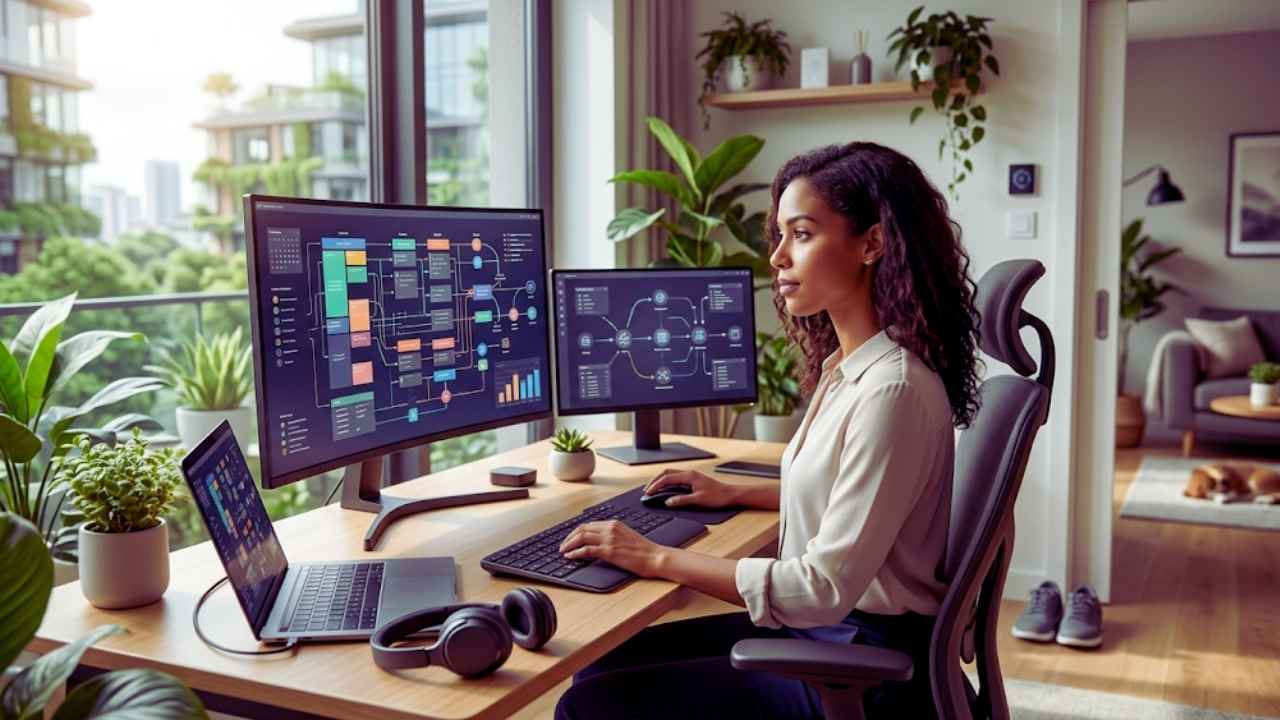
We no longer treat remote work as a temporary fix. Sitting at a makeshift dining table might have worked a few years ago, but the modern work landscape demands a completely different approach. I see professionals burning out not because they lack willpower, but because they apply outdated office routines to their home environments.
You have to adapt if you want to protect your energy and actually get things done. Mastering work from home productivity 2026 is about working smarter alongside new technology and setting extreme boundaries.
The technology we use daily has completely shifted. With artificial intelligence handling repetitive busywork, the tasks left on our desks require intense cognitive focus. Deep work drains your mental battery much faster than clearing out an inbox ever did. Staying productive today means managing your energy rather than obsessively tracking your hours. If you feel groggy or constantly distracted, the problem is likely your setup or your schedule. I will show you exactly how to fix those underlying issues and build a highly effective remote routine.
The New Rules of Remote Work in 2026
The baseline expectations for remote professionals have dramatically shifted this year. Managing your time effectively now requires a fundamental understanding of these new corporate standards. You must recognize that the way managers evaluate performance has changed entirely from the old office model. Adopting these new mindsets is the absolute first step toward building a sustainable daily routine without feeling overwhelmed.
From Hours Logged to Outcomes Delivered
Corporate culture has finally realized that tracking keyboard strokes or mouse movements is a losing strategy. The standard approach now focuses entirely on outcome based performance metrics. Managers care about the quality of the work you deliver and whether you hit your deadlines. They do not care if your status indicator stayed green from nine to five. This gives you immense freedom but requires extreme self discipline to manage your own projects. When you shift your focus from putting in hours to delivering specific results, you can actually work fewer hours while producing substantially better work.
The Rise of Agentic AI Teams
We have moved far past simple chatbots that write basic emails. We are now working alongside agentic AI systems that actively manage workflows, schedule meetings, and execute multi step processes across different software platforms. For remote workers, this means you are essentially managing a digital assistant. Your productivity directly ties to how well you can delegate the mundane friction of your job to these systems. You need to reserve your cognitive bandwidth for complex problem solving, empathy, and strategic thinking.
|
Concept |
The Old Way |
The 2026 Standard |
|
Performance |
Hours spent at desk |
Specific outcomes delivered |
|
AI Usage |
Basic spelling and grammar |
Agentic workflows and task delegation |
|
Freedom |
Rigid schedule |
Extreme flexibility based on trust |
|
Focus |
Busywork |
Deep cognitive problem solving |
1. Design a Workspace That Sustains Energy
Your physical environment dictates your mental state whether you realize it or not. A poor setup will quietly drain your enthusiasm and focus over the course of a few months. You need to actively engineer your surroundings to support deep work and prevent physical fatigue. Investing in your environment is the highest return investment you can make for your daily output.
Prioritize Natural Light and Airflow
A major trend appearing on remote work forums this year is the severe physical toll of working in isolated windowless rooms. If you wake up feeling dizzy, groggy, or completely lacking enthusiasm despite getting eight hours of sleep, your environment is likely the culprit. Human biology demands natural sunlight to regulate circadian rhythms and maintain alertness throughout the day.
Move your desk near a window if at all possible. Facing the window reduces eye strain by giving you a distant focal point to look at when you glance away from your screen. If you absolutely cannot access natural light, invest in high quality sunlight simulating lamps. You must also make it a non negotiable rule to step outside for ten minutes every morning before you open your laptop. Stale air causes cognitive decline rapidly, so keep a door open or run a small air purifier to keep oxygen flowing.
Build Frictionless Boundaries Between Life and Work
When your office is ten steps away from your bed, work easily bleeds into your personal time. You need environmental cues that tell your brain when the workday is officially over. If you have a dedicated room, closing the door at the end of the day is the best physical boundary you can set for your mental health.
If your desk sits in a shared living space, you must create a strict shutdown ritual. Close all your work applications, physically shut your laptop, and hide your work phone inside a drawer. Some people find success in changing the lighting in the room from bright white daylight bulbs during work hours to warm dim lighting in the evening. This sensory shift signals to your nervous system that it is time to decompress and detach from corporate responsibilities.
|
Workspace Element |
Poor Setup |
Optimal 2026 Setup |
|
Lighting |
Overhead fluorescent bulbs |
Natural sunlight and simulation lamps |
|
Air Quality |
Stale closed room |
Open doors and active air purifiers |
|
Boundaries |
Laptop left open on couch |
Strict physical shutdown ritual |
|
Ergonomics |
Slouching at dining table |
Adjustable standing desk and supportive chair |
2. Let AI Handle the Digital Friction
The biggest productivity killers are the small repetitive tasks that constantly break your concentration. In 2026, leaning on artificial intelligence is no longer optional if you want to keep up with your peers. You have to actively identify the friction points in your day and assign them to digital tools. Doing everything manually is a guaranteed path to burnout.
Automating Routine Tasks
Instead of spending an hour formatting a weekly report, feed your raw data into an intelligent tool and let it generate the structure. If you manage client communications, set up automated workflows that categorize incoming requests and draft preliminary responses for your review. The goal is to never start a repetitive task from a blank screen again. By letting technology do the heavy lifting of gathering and sorting information, you save your mental energy for the final polish.
Guarding Your Focus Time
Constant notifications shatter your attention span and ruin your output quality. It takes an average of twenty minutes to regain deep focus after being interrupted by a single text message. You must use smart scheduling tools that automatically block out focus time on your calendar based on your upcoming deadlines. Configure your communication apps to route only urgent messages to your phone while silently archiving routine updates. By batching your notifications, you take control of your time instead of letting other people dictate your day.
|
Friction Point |
Manual Approach |
Automated Solution |
|
Data Reporting |
Typing out weekly spreadsheets |
AI generated structural reports |
|
Scheduling |
Endless email threads to find time |
Smart calendar booking links |
|
Notifications |
Reacting to every ping instantly |
Batched alerts during specific hours |
|
Email Drafts |
Starting from a blank page |
Agentic AI drafting preliminary replies |
3. Restructure Your Schedule for Peak Output
The traditional eight hour continuous workday is a relic of factory work that makes no sense today. It does not map onto knowledge work, especially when you operate from your own home. You have to break your day into manageable chunks based on how your brain actually functions. Ignoring your natural rhythms will simply result in you staring blankly at a screen for hours.
Work in Energy Sprints Instead of Marathon Shifts
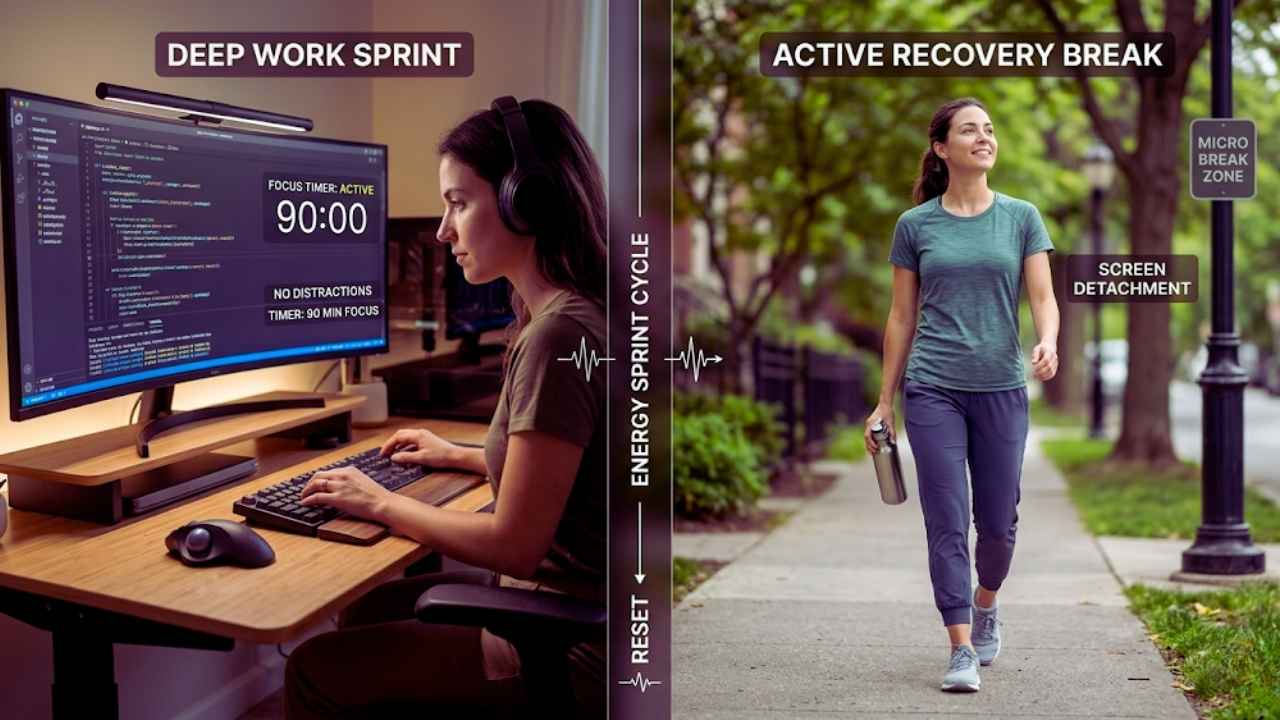
Humans are built to work in pulses of intense effort followed by brief periods of recovery. Trying to stare at a monitor for four hours straight leads to diminishing returns and inevitable mistakes. You should structure your day around ninety minute blocks of deep work. Turn off all non essential alerts, set a timer, and focus exclusively on one complex task at a time.
When the timer goes off, you must step away from the screen entirely. Do not just open a new tab to read the news or check social media. Stand up, stretch, get a glass of water, or walk around the block. These micro breaks reset your attention span and prevent the late afternoon brain fog that typically ruins productivity.
Implement the Three Two Hybrid Rhythm
If your company allows a hybrid schedule, the popular three two model is highly effective. This usually means spending three days in the office or a collaborative space, and two days working from home. Use your home days exclusively for tasks that require deep concentration like writing, coding, or independent research. Save your office days for meetings, collaborative brainstorming, and casual networking. Trying to do deeply focused work in a noisy office is just as frustrating as trying to replicate spontaneous team whiteboard sessions over a video call.
|
Schedule Strategy |
Description |
Best For |
|
Energy Sprints |
Ninety minutes of focus followed by a break |
Deep cognitive tasks and writing |
|
Micro Breaks |
Complete physical detachment from screens |
Resetting attention spans |
|
Three Two Model |
Splitting days between office and home |
Balancing collaboration and deep work |
|
Task Batching |
Grouping similar small tasks together |
Clearing out administrative debt |
4. Upgrade Your Communication Habits
Communication breakdowns cause more wasted time than almost any other factor in a distributed workforce. Being productive means communicating clearly and efficiently without demanding constant attention from others. You must learn to write better messages and stop relying on instant answers. Changing how you talk to your team is essential for work from home productivity 2026.
Default to Asynchronous Updates
Not every conversation needs to happen in real time. In fact, most definitely do not. The most productive remote teams rely heavily on asynchronous communication. Instead of calling a status meeting, record a three minute screen capture video walking through your progress and send it to your team. They can watch it at double speed whenever it fits into their workflow without breaking their own concentration.
Write detailed context rich messages when you hand off a task to a colleague. Include the background information, what you have done so far, what needs to happen next, and the specific deadline. A slightly longer written message prevents three days of back and forth clarifying questions that slow down the entire project.
Make Live Meetings Count
Video fatigue is a real physiological condition caused by the intense eye contact and processing delay of virtual meetings. You must protect your calendar ruthlessly to survive. If a meeting does not have a clear agenda and a stated goal, decline it or ask for an email summary instead. When you do host a meeting, end it early the moment the core objective is achieved. Filling the scheduled hour just because it is on the calendar is a massive waste of collective productivity.
|
Communication Type |
When to Use It |
Expected Response Time |
|
Screen Record Video |
Complex software walkthroughs |
Within one business day |
|
Context Rich Chat |
Detailed project handoffs |
Few hours based on workflow |
|
Live Video Call |
Urgent strategic alignment |
Immediate participation |
|
Shared Document |
Ongoing project tracking |
Asynchronous updates |
5. Protect Your Physical and Mental Bandwidth
You cannot separate your physical health from your cognitive output. If your body is drained, your work will suffer immediately regardless of how many apps you use. Remote workers often forget that sitting perfectly still all day destroys their energy reserves. You have to actively manage your body to protect your mind.
Defeat the Sedentary Trap
The commute from the bedroom to the living room removes the built in physical activity that used to come with going to an office. You are no longer walking to the train, taking the stairs, or even strolling to a nearby cafe for lunch. This extreme sedentary lifestyle destroys your energy levels and makes you feel chronically tired.
You have to manufacture movement in your daily routine. Invest in a standing desk and alternate your posture every single hour. Take walking meetings for phone calls that do not require you to look at a screen. Schedule your workouts during your natural energy dips. A midday workout can completely revitalize your afternoon and turn a sluggish period into a highly productive session.
Cultivate Intentional Social Connections
The efficiency of remote work often strips away the casual human interactions that build trust and elevate your mood. Without casual office chats, it is very easy to feel isolated. This isolation eventually breeds deep apathy toward your job and your company.
You have to be intentional about socializing with your peers. Reach out to colleagues for a quick fifteen minute virtual coffee chat with a strict rule against discussing work projects. If you live in a city, look into decentralized co working hubs or local cafes a few days a week just to be around other people. Prioritizing human connection is the maintenance required to keep your mental health intact.
|
Health Factor |
The Remote Risk |
The Solution |
|
Movement |
Sitting for eight straight hours |
Standing desks and walking meetings |
|
Energy |
Afternoon sluggishness |
Midday exercise routines |
|
Social |
Extreme isolation |
Intentional virtual coffee chats |
|
Scenery |
Staring at the same walls |
Working from a local cafe occasionally |
6. Fortify Your Remote Cybersecurity
Data security directly ties to your ability to stay productive. A compromised account or a malware infection will shut down your ability to work for days while the IT department scrambles to contain the damage. You have to treat your home network with the same seriousness as a corporate office building. Skipping security protocols will eventually ruin your week.
Treat Home Wi-Fi Like a Public Network
Corporate perimeters now extend directly into your living room. Your home network is a potential entry point for cyber threats that can cripple your company. Make sure your home router firmware is updated regularly and you use strong unique passwords. Always route your work traffic through your company virtual private network or zero trust access gateway. This ensures that even if someone intercepts your local connection, the corporate data remains completely encrypted and unreadable.
Separate Personal and Professional Devices
The temptation to check personal social media on a work laptop or download company files to a personal tablet is incredibly high. This mixing of environments is dangerous and highly distracting. Many companies strictly enforce policies that prevent personal devices from accessing secure networks. Even if your company does not mandate it, keep your devices entirely separate. When you use your work laptop solely for work, your brain associates that machine with absolute focus. When you pick up your personal phone, your brain knows it is time to relax.
|
Security Risk |
Common Mistake |
Proper Protocol |
|
Home Wi-Fi |
Using default router passwords |
Updating firmware and using strong passwords |
|
Network Access |
Connecting directly to web |
Using a company virtual private network |
|
Device Usage |
Mixing personal and work tasks |
Keeping separate dedicated devices |
|
Data Storage |
Saving files locally |
Storing entirely on secure cloud servers |
Final Thoughts
The key to mastering work from home productivity 2026 lies in treating your home office with absolute intentionality. You cannot rely on the old methods of logging hours and staring at a screen until you feel exhausted.
By setting strict physical boundaries, leveraging agentic tools, and protecting your mental bandwidth, you can achieve higher output in less time. Your environment and your habits dictate your success. Take control of your schedule today and watch your focus return immediately.
Frequently Asked Questions (FAQs) About Stay Productive Working From Home
What is the biggest productivity killer for remote workers in 2026?
The biggest productivity killer is the lack of physical boundaries combined with severe digital fatigue. Because advanced tools handle so much of the easy administrative work, humans are left doing high level cognitive tasks all day long. Without changing scenery, getting natural sunlight, and taking proper structured breaks, this leads to severe burnout and a complete loss of daily focus.
How can I show my manager I am productive without tracking hours?
You must focus entirely on transparency and measurable outcomes. Over communicate your progress asynchronously through written updates. Send a brief summary at the end of the week detailing exactly what you accomplished, what hurdles you cleared, and what your priorities are for the following week. When your results are visible and highly consistent, the actual hours you spend at your desk become completely irrelevant to leadership.
Do I need a dedicated home office to be productive?
While a separate room is highly ideal for building physical boundaries, it is not strictly necessary for success. What matters most is having a dedicated workspace that your brain associates only with professional focus. A specific desk in the corner of a room works perfectly well, provided you have good lighting, a supportive chair, and a strict daily routine for packing up your materials when the workday officially ends.
How does agentic AI actually save time for a remote worker?
Modern artificial intelligence tools act exactly like dedicated project managers. They can summarize long email threads, generate data reports, format presentations, and write initial drafts of complex documents without human intervention. By taking over the tedious preparation phases of your work, these tools allow you to jump straight into the execution and editing phases. This cuts task completion times significantly and reduces mental strain.
Why do I feel more tired working from home than in an office?
Remote workers often experience extreme sedentary behavior. In an office, you naturally walk to meetings, commute, and move around the building. At home, your commute might be ten steps. This lack of physical movement, combined with staring at a fixed screen distance for hours, drains your physiological energy. You must schedule intentional movement and micro breaks to combat this fatigue.