



One bad trust transfer can cost you more than a client; it can cost you your license. For most small firms, CosmoLex is the safest trust accounting software for law firms, because trust and business accounting share one system.
Below is a price chart the bar rule software must meet and honest flaws for all ten picks.
What Trust Accounting Software Must Do (and Why QuickBooks Alone Falls Short)
Here’s the catch: ABA Model Rule 1.15 requires you to keep client money separate from your own and keep complete records. Under the model rule, that’s five years after the representation ends, though states set their own periods.
Good trust accounting software for law firms should handle four jobs:
- Client-level ledgers, so every dollar ties to one client and matter
- Three-way reconciliation: bank statement, trust journal and the total of all client ledgers must match
- Overdraft blocks that stop you from paying out more than a client has in trust
- Audit trails you can print for any past month, not just the latest one
Generic tools like QuickBooks can run the books, but they weren’t built to track trust money by client. That’s why many firms pair them with a legal layer.
Why 2026 Raised the Stakes
The truth is, regulators are now checking. California’s Client Trust Account Protection Program (CTAPP) requires annual reporting, and since January 1, 2026, each trust account needs a named designated licensee who performs or supervises the monthly reconciliation.
The early results were rough:
- 89% of firms in a voluntary CTAPP review had noncompliant client ledgers
- 83% had noncompliant monthly three-way reconciliations
Key takeaway: if a CPA asked for a year of reconciliations tomorrow, your trust accounting software for law firms should produce them in minutes.
Quick Comparison Chart
Here’s how the ten tools compare. Prices are per user per month unless noted, and several vendors quote only after a demo.
|
# |
Software |
Type |
Starting Price |
Three-Way Reconciliation |
|---|---|---|---|---|
|
1 |
CosmoLex |
All-in-one, built-in accounting |
About $109 to $119 |
Built in |
|
2 |
Clio Manage + Clio Accounting |
Practice management + add-on |
$49 (EasyStart, monthly) |
Fuller tools via Clio Accounting |
|
3 |
LeanLaw |
Billing layer on QuickBooks Online |
About $45 to $55, plus QBO |
Through QBO |
|
4 |
TrustBooks |
Trust-only |
$49 flat per month |
Built in |
|
5 |
MyCase + MyCase Accounting |
Practice management + add-on |
$50 (Basic, annual) |
With $39 add-on |
|
6 |
PracticePanther |
Practice management |
$114 (Business Pro, annual) |
Business Pro only |
|
7 |
Tabs3 |
Dedicated legal accounting |
From about $89 |
Built in |
|
8 |
Rocket Matter |
Practice management |
Elite about $145 |
Pro+ and up |
|
9 |
Smokeball |
Practice management |
Quote only |
Varies by plan |
|
10 |
PCLaw |
Desktop legal accounting |
Quote only |
Built in |
The 10 Best Trust Accounting Software for Law Firms
1. CosmoLex
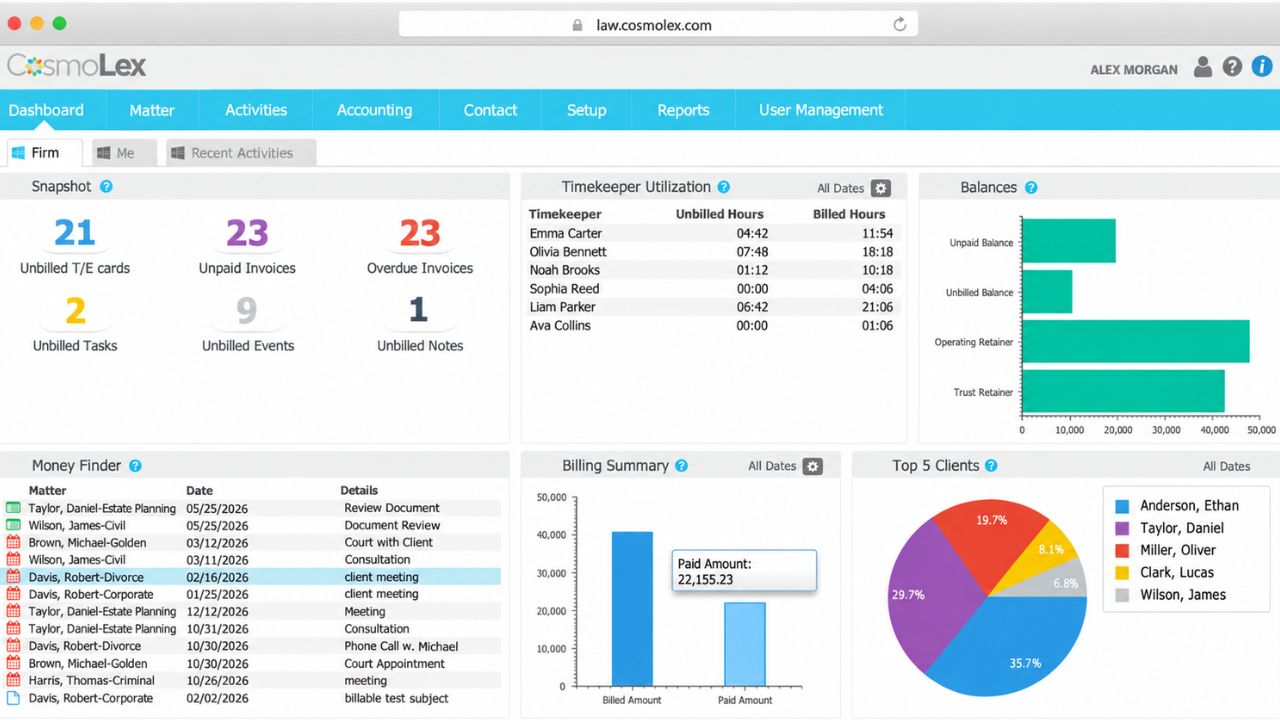
CosmoLex puts trust accounting, business accounting, billing and practice management in one database. No sync, no second subscription, no “which system is right?” at month-end. Picture this: an auditor emails on Friday, and you print the three-way reconciliation, client ledgers and bank reconciliation from one menu.
Real flaws users complain about:
- Per-user pricing climbs fast as you add staff, and some reviewers say pricing isn’t transparent.
- It replaces QuickBooks, so a bookkeeper loyal to QBO may push back.
Who Should Skip This: firms whose accountant refuses to leave QuickBooks.
2. Clio Manage with Clio Accounting
Clio is the biggest name in legal practice management, and trust tracking comes on every plan. EasyStart lists at $49 a month, or $39 billed annually. The fuller accounting side, with a general ledger and stronger reconciliation, comes through Clio Accounting, a US-only add-on with custom pricing.
Real flaws:
- Only EasyStart has a published price. Higher tiers and Clio Accounting need a sales quote.
- Without the add-on, many firms still run QuickBooks alongside Clio.
Who Should Skip This: firms that want one flat, published price.
3. LeanLaw
On the flip side, if your books already live in QuickBooks Online, LeanLaw adds legal billing and trust accounting on top with a two-way sync. Your bookkeeper keeps working in the tool they know.
Real flaws:
- QuickBooks Online is required, so you pay for two subscriptions.
- By LeanLaw’s own account, software keeps two of the three reconciliation numbers current; the bank side still needs review.
Who Should Skip This: firms that want to drop QuickBooks entirely.
4. TrustBooks
TrustBooks does one thing: trust compliance. Tier One is a flat $49 a month, and higher tiers add a team that completes your bank reconciliations for you. It connects with Clio and LawPay.
Real flaws:
- It doesn’t handle operating accounting or billing.
- Some reviewers call it basic record keeping with room to grow.
Who Should Skip This: firms that want trust, billing and books in one place.
5. MyCase with MyCase Accounting
MyCase includes trust accounting by case and trust ledger reconciliation on every plan. Basic runs $50 a user billed annually. For full three-way reconciliation and firm financials, you add MyCase Accounting at $39 per user, on Pro and Advanced only.
Real flaws:
- The base trust tools aren’t a full accounting system. Read the add-on details before you buy.
- The add-on isn’t available on Basic, so the real cost is a higher plan plus $39.
Who Should Skip This: solo firms that want full accounting on the cheapest plan.
6. PracticePanther
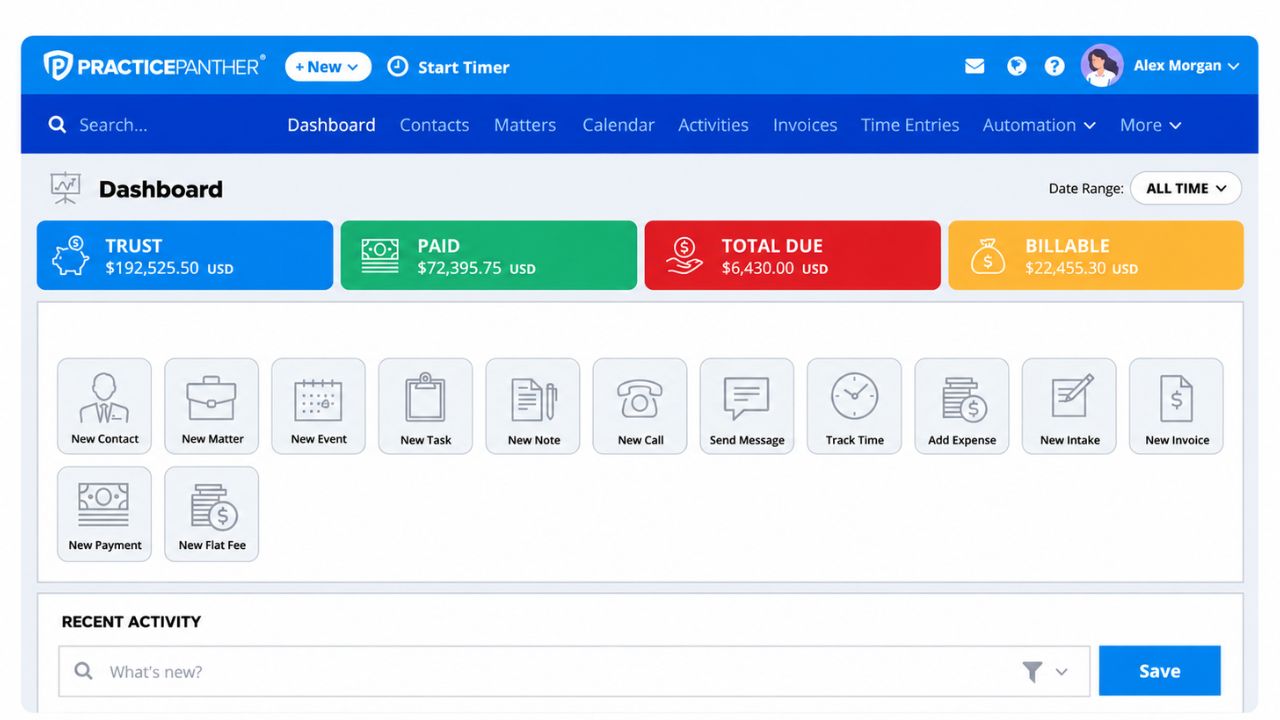
PracticePanther launched PantherAccounting Plus in April 2026. It brings trust accounting, operating accounting, a general ledger and enhanced reconciliation in one plan.
Real flaws:
- Full trust accounting is locked to Business Pro at $114 a user (annual) or $124 monthly.
- The accounting suite is new, so it has less track record than older tools.
Who Should Skip This: budget solos who’d pay about $65 more per user just for trust features.
7. Tabs3
Tabs3 has done legal trust accounting for decades and pairs it with Tabs3 Billing and Financials. The cloud version starts around $89 a user, and its own guidance says to reconcile within the first 10 days after month-end.
Real flaws:
- Practice management (PracticeMaster) costs extra.
- You’ll likely need a demo and quote to see full pricing.
Who Should Skip This: small firms that want everything in one low price.
8. Rocket Matter
Rocket Matter offers native trust accounting from its Pro+ plan, and its Elite tier, about $145 a month, adds business accounting with a legal chart of accounts and bank feeds.
Real flaws:
- E-signatures are capped: 5 per user a month on Essentials and 15 on Pro+.
- Essentials storage stops at 25 GB.
Who Should Skip This: firms that send lots of e-sign documents.
9. Smokeball
Smokeball lists trust accounting and reporting from its Bill plan, plus integrations with accounting tools. It’s popular with “people-law” firms like family law and estate planning.
Real flaws:
- No published prices. Smokeball says cost depends on users, plan, contract term and add-ons.
- Full general ledger work often runs through a separate accounting integration.
Who Should Skip This: firms that want transparent pricing before a sales call.
10. PCLaw
PCLaw is the old desktop workhorse. It still handles trust accounting, billing and client ledgers in one system, but it runs on-premise. Its workstations need a wired gigabit Ethernet connection, since wireless isn’t supported.
Real flaws:
- You maintain the server and pay for ongoing support.
- Remote access means a virtual desktop or hosting service.
Who Should Skip This: remote or hybrid firms.
How to Pick the Right Tool
Now, you might be wondering where to start. Match the tool to how your firm runs:
- Want one system for everything? CosmoLex or PracticePanther Business Pro.
- Bookkeeper lives in QuickBooks? LeanLaw.
- Already on Clio or MyCase? Add Clio Accounting or MyCase Accounting before switching.
- Only trust compliance worries you? TrustBooks.
- Big settlement volume? Litigation and PI firms, like the litigation law firms that handle large payouts, need strong disbursement controls and overdraft blocks.
That brings us to the biggest mistake people make: treating retainers as earned money. Criminal defense firms, such as a DWI lawyer’s practice, often take advance fees that must sit in trust until they’re earned, depending on your state’s rules. Good software tracks that by client so nothing hits operating early.
Bottom line: whatever you choose, run the three-way reconciliation every month and save the report.
Frequently Asked Questions (FAQs)
What is three-way reconciliation?
It’s matching three numbers every month: your trust bank statement, your trust journal (book balance) and the total of all client ledgers. All three must agree.
Can I use QuickBooks for trust accounting?
You can, but it isn’t built to track trust funds by client. Most firms add a legal tool like LeanLaw or TrustBooks.
How often do I need to reconcile my trust account?
Many states require monthly reconciliation. California’s rules name a designated licensee to perform or supervise it monthly.
What is an IOLTA account?
An interest on a lawyer’s trust account holds small or short-term client funds. State rules set it up, and the interest typically funds legal aid programs.
What happens if trust accounting rules are broken?
Commingling or misusing client funds can lead to bar discipline, including suspension or disbarment, even if it was an accident.
Final Thoughts
The best trust accounting software for law firms is the one that makes a clean monthly reconciliation automatic. Start with CosmoLex for an all-in-one setup, LeanLaw if you live in QuickBooks, or TrustBooks for trust-only peace of mind. Then book a demo and ask to see a sample audit report.
Disclaimer: This guide is for general information and isn’t legal or accounting advice. Check your state bar’s trust account rules.