



I love working from home. I get to skip the miserable morning commute, save cash on overpriced lunches, and avoid coworkers tapping on my shoulder every twenty minutes. It is a massive productivity hack that completely changes your work-life balance for the better. But this incredible freedom comes with a hidden professional tax that catches many people off guard.
When you aren’t physically walking past your boss’s desk, grabbing coffee in the breakroom, or sitting in a glass-walled conference room, people easily forget what you do all day. If you want to figure out how to stay visible at work when you’re fully remote, you have to treat your visibility like a core job duty. Letting your work speak for itself is terrible advice for virtual teams. When nobody sees you typing away at your keyboard or breaking a sweat over a complex problem, you have to be intentionally loud about your output.
I have watched incredibly smart remote workers lose out on promotions simply because they went into stealth mode. They put their heads down, crushed their tasks, and logged off. Meanwhile, a louder, in-office colleague got the bump in pay simply because they were top-of-mind. Let’s fix that. Here is exactly how to manage your digital footprint, beat proximity bias, and show leadership how valuable you really are.
The Real Cost of Hiding in the Background (Proximity Bias)
The Productivity vs. Promotion Gap
Working from your home office makes you incredibly productive, but it actively hurts your chances of moving up the corporate ladder if you stay quiet. Stanford economists have studied this dynamic for years, and their recent data paints a very clear picture. Fully remote workers are consistently about 13 percent more productive than their in-office peers because they deal with fewer distractions.
Yet, despite this higher output, remote employees are promoted 31 percent less often than people who scan a badge at a physical office. The data proves that hard work alone does not guarantee career advancement in a distributed team. Managers naturally promote the people they interact with most frequently. If you just log in, do your tasks, and log out without making any noise, your boss will overlook your contributions during review season.
|
Workplace Metric |
In-Office Employee Reality |
Remote Employee Reality |
Action Required to Compete |
|
Daily Output |
Distracted by constant office gossip |
Delivers 13 percent more overall output |
Keep crushing your tasks but share the results loudly. |
|
Promotion Rate |
Moves up on a normal, expected timeline |
Experiences a 31 percent drop in promotions |
Fight harder and aggressively advocate for career growth. |
|
Perceived Value |
Unconsciously viewed as an essential team member |
Often viewed by bosses as easily replaceable |
Quantify your daily impact with hard, indisputable numbers. |
How Proximity Bias Actually Works?
Proximity bias is a natural psychological flaw where human brains favor the people sitting physically closest to them. When your manager sees someone staying late at the office, they unconsciously think that person is a highly dedicated hard worker. When you stay late on your laptop at your kitchen island, nobody knows unless you explicitly tell them.
A recent industry survey found that 67 percent of supervisors admit they view remote workers as easily replaceable compared to on-site staff. This bias happens entirely on a subconscious level, meaning your boss likely does not even realize they are doing it. You have to actively fight against human nature by building a digital footprint so massive that they cannot possibly ignore your presence.
|
The Bias Trigger |
What Happens in the Office |
What Happens Remotely |
How to Overcome It |
|
Working Late |
Boss physically sees you at your desk |
You look completely offline to the rest of the team |
Schedule an email to send early the next morning. |
|
Casual Chats |
Organic bonding in the company breakroom |
Absolute silence between assigned meetings |
Actively participate in casual Slack or Teams channels. |
|
Problem Solving |
Impromptu whiteboarding sessions |
Working through the issue completely alone |
Post your thought process and solution in a group chat. |
Master the Art of Intentional Over-Communication
Send the Weekly Friday Wrap-Up
When you work remotely, silence equals absence in the eyes of management. If your boss does not hear from you for three days, they naturally wonder if you are actually working or just doing laundry. Over-communicating does not mean messaging them every time you use the restroom or grab a snack. It means leaving a clear, asynchronous trail of your progress so they always know what you are handling.
Make it a habit to send a Friday Wrap-Up message every single week without fail. Keep it punchy, use bullet points, list three major things you finished, one roadblock you hit, and your main focus for next week. It takes exactly five minutes to write, but it gives your boss instant relief because they never have to chase you down for a status update.
|
Wrap-Up Element |
What to Write |
Why It Matters to Your Boss |
|
Completed Items |
Bulleted list of 3 major tasks finished this week. |
Proves you are actively moving the needle on big projects. |
|
Current Blockers |
One thing holding you back from moving forward. |
Allows them to step in and manage cross-team friction. |
|
Next Week’s Focus |
The main priority you plan to tackle on Monday. |
Ensures your daily goals perfectly align with their vision. |
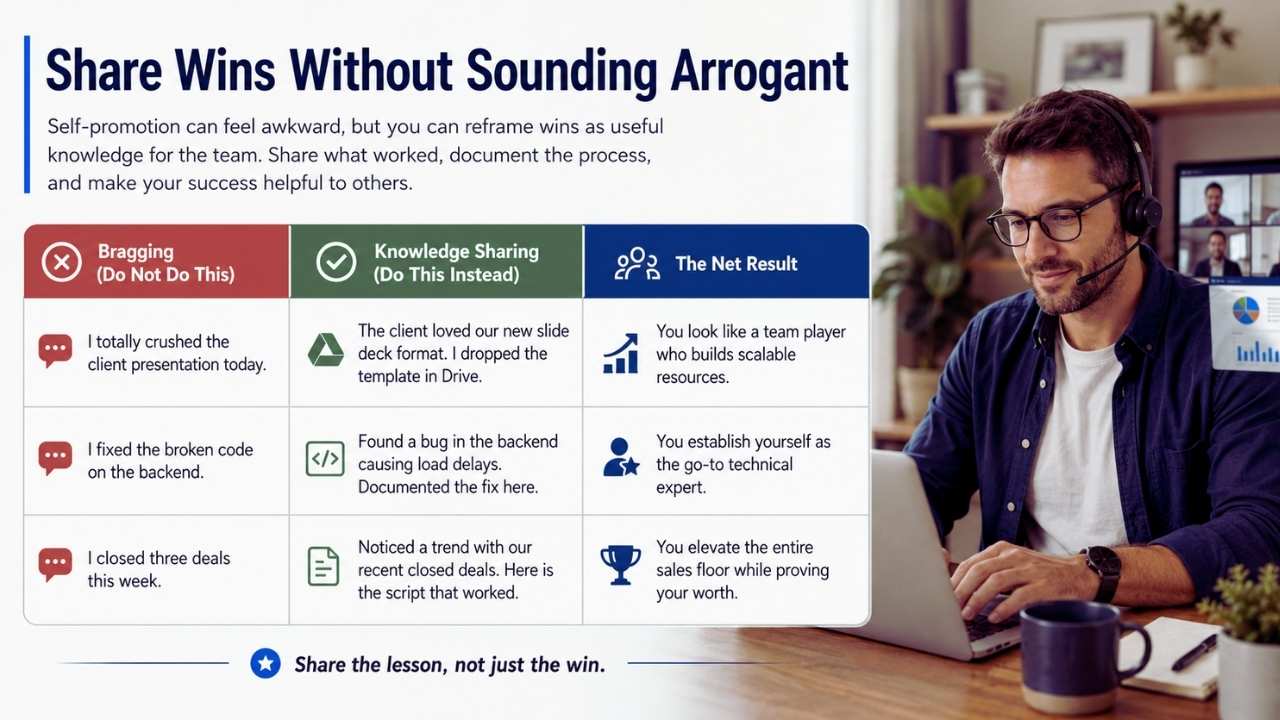
I totally understand that a lot of people hate self-promotion because it feels gross and inauthentic. But you can easily reframe your accomplishments as sharing valuable knowledge with the rest of the company. Instead of bragging about your personal success, position your wins as helpful resources for your peers.
Post in a group channel explaining that you just wrapped up the quarterly report and found a faster way to format the raw data. Tell them you recorded a quick screen-share video of the process if anyone wants to use it for their own accounts. You help the team out, but you also loudly remind leadership that you deliver high-quality results.
|
Bragging (Do Not Do This) |
Knowledge Sharing (Do This Instead) |
The Net Result |
|
“I totally crushed the client presentation today.” |
“The client loved our new slide deck format. I dropped the template in Drive.” |
You look like a team player who builds scalable resources. |
|
“I fixed the broken code on the backend.” |
“Found a bug in the backend causing load delays. Documented the fix here.” |
You establish yourself as the go-to technical expert. |
|
“I closed three deals this week.” |
“Noticed a trend with our recent closed deals. Here is the script that worked.” |
You elevate the entire sales floor while proving your worth. |
Strategies on How to Stay Visible at Work When You’re Fully Remote
Strategic Camera Usage in Virtual Meetings
Virtual meetings serve as your main stage to show leadership you are present, engaged, and ready to contribute. Without a physical conference room, your screen is your only shot to make a lasting impression. To master how to stay visible at work when you’re fully remote, you must treat your digital meeting habits with extreme care.
You absolutely do not need the camera on for every single five-minute sync, because screen fatigue is a real burnout trap. But for team meetings, client calls, and cross-functional check-ins, you must turn it on and look professional. Face a window for decent lighting, blur out your messy background, and make sure your framing is solid. People trust faces much more than they trust black boxes with white initials.
|
Meeting Type |
Camera Recommendation |
Reasoning for Visibility |
|
Company All-Hands |
Camera Off |
You are strictly an audience member in a massive crowd. |
|
Weekly Team Sync |
Camera On |
You need to show your manager you are alert and engaged. |
|
External Client Call |
Camera On |
Builds deep trust and rapport with the people paying the bills. |
Speak Up in the First Ten Minutes
Do not wait until the last two minutes of a meeting to chime in with your thoughts. By the end of the call, everyone is just watching the clock and clicking over to their next open tab. Make a deliberate effort to speak up in the first ten minutes of the conversation. It establishes your presence immediately and inserts your voice into the room before the dominant personalities take over.
Even a simple agreement like pointing out that a coworker made a great point puts you on the radar. Once you talk early, the pressure is completely off for the rest of the meeting, but everyone will remember that you actively participated.
|
Speaking Strategy |
When to Do It |
How People Perceive You |
|
The Icebreaker |
First 2 minutes of the call |
Friendly, highly approachable, and confident. |
|
The Early Add-On |
First 10 minutes of the agenda |
Engaged, thoughtful, and actively listening to peers. |
|
The Late Summary |
Last 5 minutes of the call |
Often looks like you are scrambling to prove you were listening. |
Dominate the Meeting Chat Box
Sometimes you simply cannot get a word in because the extroverts or senior executives are completely dominating the audio space. When that happens, you need to leverage the meeting chat box to your advantage. Drop a relevant link, agree with a solid point someone just made, or ask a sharp, clarifying question.
The meeting host usually reads the chat out loud anyway, which gets your name in the mix without forcing you to awkwardly interrupt anyone. Using the chat keeps you highly visible and proves you are paying close attention to the details of the presentation.
|
Chat Box Contribution |
Example Phrase |
Why It Works Well |
|
Dropping Resources |
“Here is the link to the data John just mentioned.” |
Makes you look incredibly helpful and quick on your feet. |
|
Validating Peers |
“Completely agree with Sarah. That approach makes sense.” |
Builds internal alliances without disrupting the speaker. |
|
Asking Questions |
“Does this new timeline impact the Q4 marketing budget?” |
Shows high-level strategic thinking and foresight. |
Take Ownership of High-Visibility Projects
Solve Problems Above Your Paygrade
Doing your basic, everyday job keeps you employed, but it will never get you a raise or a major promotion. You have to grab the initiatives that leadership actually tracks, measures, and cares about deeply. Look for the annoying pain points your boss complains about on a weekly basis and fix them.
If they hate pulling a complicated weekly spreadsheet, learn some basic automation tools and build a dashboard for them. When you step up to fix systemic problems that affect multiple people or streamline a massive bottleneck, your reputation grows rapidly. Executive leaders notice the people who make the business run smoother and faster.
|
Task Category |
Visibility Level |
Long-Term Career Payoff |
|
Routine Daily Tasks |
Very Low |
Keeps you from getting fired, but yields zero career growth. |
|
Process Improvement |
Medium |
Builds strong goodwill and makes your manager’s life easier. |
|
Revenue Generation |
Very High |
Directly ties your name to the company’s financial success. |
Raise Your Hand for Cross-Team Tasks
Your direct team already knows you are great at your job, but that is not enough to secure a massive promotion. You have to ask yourself if the Vice President of Product or the Head of Sales knows who you are. Volunteer for cross-department task forces, company culture committees, or experimental pilot programs.
This is the absolute fastest way to expand your internal network without ever setting foot inside an office building. You get highly valuable face time with senior leaders you would never normally talk to. They get to see your work ethic firsthand, making them highly likely to support your next promotion.
|
Cross-Team Opportunity |
Who You Will Meet |
How It Boosts Your Brand |
|
Software Pilot Program |
IT and Operations Leaders |
Proves you are highly adaptable and tech-forward. |
|
Culture Committee |
HR and Executive Sponsors |
Shows you care deeply about employee retention and morale. |
|
Cross-Functional Sprint |
Product and Sales Teams |
Demonstrates your ability to collaborate across different goals. |
Network Cross-Functionally Without a Water Cooler
Book 15-Minute Virtual Coffees
In a regular physical office, you run into people while making coffee or waiting for the elevator. You chat about weekend plans, complain about a weird client email, and build organic trust. That organic networking completely dies the second you start working from your living room.
You have to manufacture those moments yourself by booking 15-minute virtual coffee chats with coworkers you rarely speak to. Send a low-pressure note mentioning you have been on a few calls together but never really chatted. People absolutely love talking about their work, and internal networking builds the peer validation that promotion committees heavily rely on.
|
Virtual Coffee Target |
What to Talk About |
Networking Goal |
|
Peers in Other Departments |
Ask about their current projects and team goals. |
Expand your understanding of the broader business. |
|
New Hires |
Offer advice and ask about their onboarding experience. |
Establish yourself as a friendly, welcoming leader. |
|
Senior Leaders |
Ask for specific career advice or industry insights. |
Get on their radar for future mentorship opportunities. |
Get Personal in Slack Channels
Do not just lurk quietly in the random or social Slack channels while everyone else jokes around. Post a funny picture of your dog, share a dinner recipe you tried over the weekend, or wish someone a happy work anniversary. It proves to the rest of the company that you are a three-dimensional human being, rather than just an email bot that assigns tasks.
Personal ties make people genuinely like you, and coworkers are significantly more likely to advocate for you when you need a favor. People want to work with people they actually enjoy talking to, so let your personality shine through the screen.
|
Slack Channel Type |
What You Should Post |
The Desired Effect |
|
Hobbies / Pets |
Photos of your dog, garden, or weekend baking project. |
Humanizes you and sparks easy, casual conversations. |
|
Company Kudos |
Public praise for a coworker who helped you out. |
Shows you are a team player who shares the spotlight. |
|
Industry News |
Links to interesting articles related to your field. |
Positions you as someone engaged with market trends. |
Write the Internal Manuals
Become the person everyone goes to when they need answers to complicated questions. That is pure professional visibility at its finest. You do not have to be the loudest person in the room if you are universally known as the most resourceful. If you know exactly how to fix a recurring software bug or navigate a tricky client escalation, write it all down.
Put it in the company Notion workspace or Google Drive for everyone to access. Every time a new hire asks a question, your boss will direct them to the guide you wrote. You effectively clone your expertise and stay highly visible even when you are on vacation.
|
Documentation Format |
Best Use Case |
Visibility Impact |
|
Written Step-by-Step SOP |
Complex, multi-step administrative processes. |
Your name stays attached to a permanent company resource. |
|
Quick Loom Video |
Software navigation or quick technical fixes. |
Shows your face and voice, building faster personal rapport. |
|
Troubleshooting FAQ |
Common questions from new hires or junior staff. |
Saves management time, making you look highly valuable. |
Host a Digital Lunch and Learn
Offer to teach your department something valuable for twenty minutes during the next all-hands call. Break down the strategy behind a successful project you just finished, or show off a new artificial intelligence tool that saves everyone time. Public speaking internally forces leadership to watch your presentation skills and strategic thinking live in action.
It is incredibly hard for a manager to overlook your leadership potential when they watch you confidently command a virtual room of fifty people. It requires a little bit of extra prep work, but the payoff for your personal brand is absolutely massive.
|
Presentation Topic |
Who Should Attend |
What It Proves |
|
Post-Project Breakdown |
Your direct team and cross-functional partners. |
Shows you analyze data and learn from past campaigns. |
|
Tool Tutorial (e.g., AI) |
The entire department or company. |
Proves you are forward-thinking and highly efficient. |
|
Industry Trend Analysis |
Senior leadership and strategy teams. |
Demonstrates executive-level business acumen. |
Optimize Your Availability Across Time Zones
Pick and Publish Your Core Hours
Working across time zones is incredibly tricky for remote employees. You do not want to be sleeping during the biggest conversations of the day, but you definitely should not work 14-hour days to accommodate everyone else. Figure out when the majority of your team is online and block out a three-hour window for meetings and fast replies.
Tell your team these are your peak collaboration hours, and use that specific window for rapid-fire problem solving. By establishing core hours, you guarantee that you are highly visible and responsive when the company needs you the most.
|
Core Hour Strategy |
Example Schedule |
Why This Works |
|
East Coast Overlap |
9 AM to 12 PM PST |
Captures the afternoon energy of New York colleagues. |
|
Global Overlap |
7 AM to 10 AM EST |
Connects you with European teams before they log off. |
|
Team Agreement |
Explicitly documented in the team wiki. |
Sets firm boundaries while maintaining high reliability. |
Protect Your Deep Focus Time
You still absolutely need dedicated time for deep, uninterrupted work to hit your targets. But you cannot just disappear for three hours without warning anyone. Toss up a detailed status indicator on your messaging app saying you are heads down on a report and to text if it is an emergency.
It tells everyone you are grinding away on important tasks, rather than just goofing off or running errands. Setting a clear status protects your boundaries while simultaneously making you look incredibly busy, focused, and dedicated to your daily deliverables.
|
Status Message |
What It Says |
How People Interpret It |
|
Blank / No Status |
Nothing at all. |
People assume you are available and will interrupt you. |
|
“Deep Work – Text if Urgent” |
You are busy but reachable. |
People respect your time and only escalate real emergencies. |
|
“In Client Meeting” |
You are generating revenue. |
People see you actively contributing to the bottom line. |
Keep a Running Record of Your Wins
Start a Weekly Brag Document
Your boss is incredibly stressed out and busy dealing with their own daily fires. They will completely forget about the massive crisis you solved in February when your December performance review finally rolls around. You have to remember your wins for them because remote workers fall off the radar faster due to the lack of physical office cues.
Open a blank document today and spend exactly ten minutes every Friday afternoon writing down your positive feedback, improved metrics, and launched projects. Paste in screenshots of client praise so you have a massive backlog of evidence.
|
Brag Document Section |
What Belongs Here |
How to Use It Later |
|
Hard Metrics |
Revenue generated, time saved, bugs fixed. |
Copy and paste directly into your formal review form. |
|
Screenshots of Praise |
Slack messages from happy peers or clients. |
Use as proof of your strong cross-functional teamwork. |
|
Completed Milestones |
Links to launched websites, decks, or articles. |
Shows a consistent track record of finishing big tasks. |
Talk Numbers During Performance Reviews
When you step into a performance review or ask for a raise, you have to use aggressive business language. Do not just say you fixed the company landing page. Say you redesigned the landing page, boosted conversions by four percent, and grabbed fifty new qualified leads this month.
Numbers cut directly through the corporate noise and make your work completely impossible to ignore. Walking into a review with a year of documented, data-backed evidence totally destroys proximity bias. Your manager cannot argue with cold, hard numbers that prove you positively impacted the company’s financial growth.
|
Weak Statement |
Strong, Number-Backed Statement |
Why It Wins The Raise |
|
“I helped with customer support.” |
“I closed 50 support tickets a week, reducing wait time by 15%.” |
Proves efficiency and direct impact on customer happiness. |
|
“I managed social media.” |
“I grew our LinkedIn following by 20% over 6 months.” |
Shows measurable growth rather than just doing a task. |
|
“I organized the data.” |
“I automated the data entry, saving the team 10 hours a week.” |
Highlights cost-saving measures and high-level problem solving. |
Final Thoughts
Working from home is the ultimate workplace perk, but you have to steer your own career trajectory. You cannot just blend into your living room couch and pray that your hard work speaks for itself. Turn on your camera, over-communicate your progress asynchronously, grab high-impact projects, and track your wins ruthlessly.
Map out exactly how to stay visible remote work style today. You have all the tools you need to prove you do not need a cubicle or a miserable highway commute to be the absolute most valuable person on your team.
Frequently Asked Questions (FAQs) About Stay Visible Remote Work
How do I get noticed without being annoying to my manager?
Focus entirely on sharing actionable data and results. Instead of messaging your boss to say you are working hard, send them a summary of the data you pulled that just saved the team three hours of manual entry. Results are never annoying.
How do I handle time zone visibility gaps if my boss works different hours?
Schedule your emails or messages to send during your manager’s morning hours. If you finish a task at 10 PM your time, delay the send until 8 AM their time so you are at the very top of their inbox when they log on for the day.
What if my company actively favors in-office workers for promotions?
You need to aggressively build alliances with the people who go into the physical office. Find a hybrid or in-office colleague who understands your value and will organically mention your name and contributions in the physical room when you are not there.
Do remote workers actually get promoted less often?
Yes, they absolutely do. Recent workplace data shows fully remote folks get promoted about 31 percent less frequently than their in-office peers. It is almost always an issue of visibility and proximity bias, rather than a lack of actual hard work.
I am a massive introvert. Can I still stay visible?
One hundred percent. Visibility is not about being the loudest, most obnoxious person on a video call. It is about being reliable and resourceful. Introverts excel at writing incredible documentation and hosting quiet, one-on-one virtual coffees. Lean heavily into those specific strengths.