


You don’t need to drop fifteen thousand dollars on a coding bootcamp today. The internet has everything you need to get hired. But having unlimited options is exactly why most beginners quit. You jump from one YouTube video to the next, copy code you do not understand, and give up when things get hard.
If you want to actually learn to code for free in 2026, you need a strict system. The tools look completely different now than they did just a few years ago. AI coding assistants like GitHub Copilot and Windsurf give you powerful debugging tools for absolutely nothing.
Platforms like The Odin Project just updated their stacks to match what tech companies actually use. The financial wall is gone. But you have to bring your own discipline. Let’s cut the fluff. Here is a realistic, step-by-step roadmap to go from zero to building real software without spending a dime.
Why the Free Route Wins Today
The tech world runs on open-source code. Languages, frameworks, and official documentation cost nothing. Education naturally followed suit, and the gap between an expensive bootcamp and free resources is basically zero in the current market. Bootcamps often just charge you for the exact same open-source materials you can read yourself. You pay for a schedule and a mentor.
If you can force yourself to sit down and work, the free route wins easily. You learn at your own pace, keep your day job, and avoid crushing student debt. Research even backs this up. Active learning, where you solve problems and write code rather than passively watching traditional lectures, raises your success rate drastically and cuts your failure rate by one and a half times.
AI tools also destroyed the old roadblocks that used to hold self-taught developers back. Stuck on a bug? You don’t have to wait three days for a forum reply anymore. Paste the error into a free AI tool, and you get an instant, line-by-line explanation of exactly where you messed up.
|
Comparison Factor |
Expensive Bootcamps |
Free Learning Path (2026) |
|
Upfront Cost |
Ten to twenty thousand dollars |
Zero dollars |
|
Material Quality |
High, but highly rigid |
World-class, constantly updated by the community |
|
Learning Pace |
Fast, high-pressure cohorts |
Self-paced around your daily life and job |
|
Support System |
Paid teaching assistants |
AI tutors, Reddit, and massive Discord servers |
|
Biggest Hurdle |
Heavy financial debt |
Requires intense self-discipline and focus |
Top Platforms to learn to code for free in 2026
The Odin Project (Best for Full-Stack)
The Odin Project forces you to set up a real development environment right from the start. You install Linux, configure Git, and work entirely from your terminal and VS Code before writing a single line of logic. This brutal setup phase weeds out people who aren’t serious, but it accurately mimics the exact onboarding process of a junior developer job. Once your environment is ready, you dive into either full-stack JavaScript or Ruby on Rails, building dozens of projects from absolute scratch without any hand-holding.
You spend your time reading official documentation and wrestling with raw code instead of watching someone else type on a video. By the time you finish the final capstone project, you have a massive portfolio of live, deployed applications that actually look good on a resume. Because it skips the easy in-browser editors, graduates from this curriculum are widely considered highly employable right out of the gate.
freeCodeCamp (Best for Certifications)
With thousands of hours of material, freeCodeCamp remains an absolute powerhouse for beginners who want a guided experience. It breaks complex computer science concepts down into bite-sized, interactive lessons you can complete directly in your browser. You do not have to worry about configuring a messy local environment on day one. As you advance, you build required projects to earn verified certifications in responsive web design, JavaScript algorithms, and front-end development libraries.
Thousands of their graduates work at massive tech companies today. It is highly structured, making it perfect if you get overwhelmed easily and desire a clear, step-by-step track. The community is incredibly supportive, and the curriculum is constantly audited and updated to ensure it meets current industry demands.
Scrimba (Best for Interactive Screencasts)
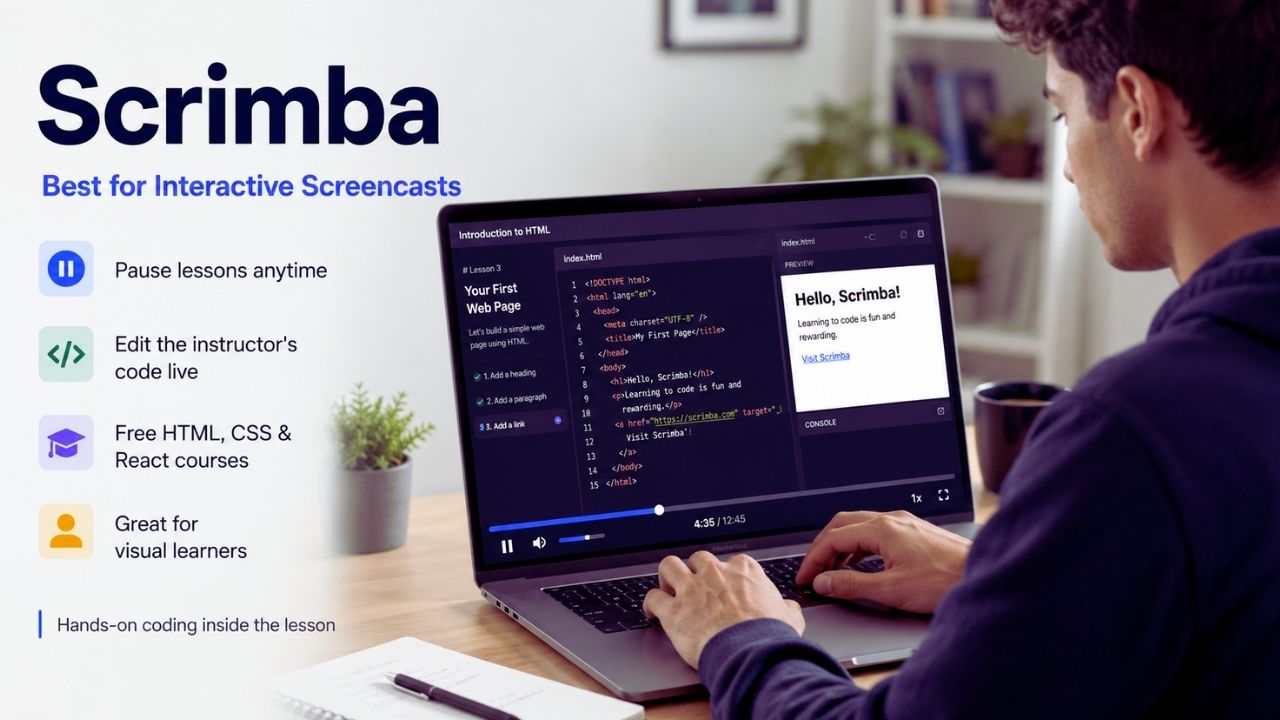
Scrimba completely changes how you consume coding tutorials. Instead of watching a static video on YouTube where you can’t interact with the code, Scrimba uses interactive screencasts called “scrims.” You can literally pause the video at any time, click inside the media player, and edit the instructor’s code directly in the lesson. This hands-on approach works incredibly well for people who learn by doing.
They offer a ton of free courses covering HTML, CSS, and React. Their front-end developer career path closely aligns with the MDN Web Docs curriculum, which carries massive credibility with employers. If you struggle with reading heavy documentation and prefer a visual teacher, Scrimba bridges the gap without letting you fall into passive watching.
CS50 by Harvard (Best for Computer Science)
Frameworks come and go, but core computer science fundamentals stay the same. Harvard’s CS50, available for free via edX, is widely considered the best introduction to programming globally. Instructor David Malan teaches you how computers actually process logic and memory, covering C, Python, SQL, and basic web technologies. The course forces you to understand what happens under the hood.
The problem sets are notoriously difficult and will absolutely make you want to pull your hair out. But pushing through them separates developers who “just make things work” from those who actually understand the underlying architecture. Taking this course gives you the theoretical foundation you need to pass tough technical interviews and build highly optimized software later on.
|
Platform |
Best For |
Learning Style |
Technical Setup Required |
|
The Odin Project |
Employability and full-stack mastery |
Project-based, heavy reading |
Local environment (Git, Terminal) |
|
freeCodeCamp |
Verified certifications and structure |
Interactive browser exercises |
None (runs in the browser) |
|
Scrimba |
Visual learners who want interaction |
Interactive screencasts |
None (runs in the browser) |
|
CS50 (Harvard) |
Deep foundational computer science |
Video lectures, hard problem sets |
Browser IDE provided |
Best Free Mobile Apps to Build a Daily Habit
BeFreed (Best for Conceptual Learning)
You cannot become a senior software engineer using a smartphone screen, but apps are fantastic for building a daily habit. BeFreed takes a totally different approach to coding education. Instead of teaching you syntax line by line, it helps you understand the ideas behind great software through AI-powered book summaries and personalized podcasts. It teaches you the concepts that syntax-focused apps often skip.
When you move past basic tutorials, you need to understand when to use a specific data structure or why clean architecture matters. BeFreed gives you that conceptual foundation. It is the perfect companion app to listen to during a commute or while working out, bridging the gap between writing code and understanding system design.
Sololearn (Best for Language Variety)
Sololearn offers bite-sized tracks for practically every programming language available. If you aren’t sure whether you want to write Python, C++, or Java, you can test them all here without installing heavy compilers on your laptop. The community features add a serious layer of accountability that solo learning apps often lack.
You can share your code, participate in daily challenges, and discuss logic with millions of other learners. The short lessons fit perfectly into a busy schedule, making it easy to practice while waiting in line for coffee. It leans heavy on quizzes, which helps drill the basic syntax rules into your memory so you make fewer typos when you transition to a real keyboard.
Mimo (Best for Complete Beginners)
If you have zero experience and find a blank code editor terrifying, Mimo removes the intimidation factor completely. It uses a highly gamified, visual format where you write real code on day one and receive instant feedback. The pacing is phenomenal; it never assumes prior knowledge and builds concepts gradually through short interactive exercises.
The five-minute lesson format means you have absolutely no excuse to skip a day of practice. It is strictly for absolute beginners, serving as a stepping stone before you transition to a computer. Once you finish the beginner tracks here, you will have the confidence to tackle harder, project-based platforms without feeling lost.
|
Mobile App |
Core Strength |
Target Audience |
Best Daily Use Case |
|
BeFreed |
Conceptual learning via AI podcasts |
Thinkers and intermediate learners |
Listening to architecture concepts on a commute |
|
Sololearn |
Massive language variety |
Explorers wanting community |
Testing different tech stacks on the go |
|
Mimo |
Gamified, bite-sized lessons |
Complete beginners |
Quick syntax practice in under five minutes |
Leveraging Free AI Coding Tools Properly
When you learn to code for free in 2026, integrating AI into your workflow is mandatory. Artificial intelligence fundamentally changed how developers write software. However, there is a massive trap here. If you let the AI write all your code, you learn nothing and will bomb your technical interviews.
Use AI as a strict Socratic tutor. When your app breaks, do not ask the AI for the fixed code. Ask it to explain conceptually why the error occurred. Fortunately, the biggest AI tools now offer incredible free tiers that are more than enough for daily learning.
GitHub Copilot Free
GitHub Copilot is the industry standard for AI assistance, and it now offers a fantastic free tier for individual developers. You get two thousand code completions and fifty chat messages per month without ever entering a credit card. It integrates directly into VS Code, pulling context from your open files to give you surprisingly accurate suggestions. This tier works perfectly for light, steady daily practice.
If you are just starting out, fifty chat messages a month forces you to think carefully about what you ask, treating the AI as a mentor rather than a crutch. It helps you catch dumb syntax errors instantly so you can focus your mental energy on actual logic and problem-solving.
Windsurf and Codeium
If you code heavily and quickly burn through Copilot’s limits, Windsurf and Codeium are the next logical steps. Codeium offers unlimited autocomplete and in-IDE chat on its free plan, making it a favorite for aggressive self-taught learners. Windsurf operates as a dedicated VS Code fork that also gives you unmetered tab completions on the free tier.
These tools remove the anxiety of watching a usage meter tick down while you are in the middle of a tough debugging session. While their advanced multi-file agent features are capped at roughly twenty-five credits per month, the unlimited autocomplete ensures you always have a fast, reliable pair programmer sitting right next to you while you learn.
v0 by Vercel and Bolt.new
When you transition to building full applications, tools like v0 and Bolt.New feels like absolute magic. v0 acts as an ultimate AI website builder for frontend design; you type a prompt like “finance dashboard,” and it generates stunning, production-ready React and Tailwind code instantly.
Bolt.new goes even further, providing a full-stack environment right in your browser. You give it a prompt, and it writes the code, installs dependencies, and boots up a live server on the spot. These tools are incredible for rapid prototyping. As a learner, you should study the code they generate to understand how professional interfaces are structured, reverse engineering their output to improve your own frontend skills.
|
AI Tool (Free Tier) |
2026 Usage Limits |
Best Use Case for Beginners |
|
GitHub Copilot Free |
2,000 completions / 50 chats per month |
Industry-standard familiarity and light daily debugging |
|
Windsurf / Codeium |
Unlimited autocomplete / 25 agent credits |
Solo learners writing massive amounts of code |
|
v0 by Vercel |
Free tier available based on compute |
Generating complex frontend UI components instantly |
|
Bolt.new |
Browser-based environment limits |
Rapid full-stack prototyping without local setup |
The Step-by-Step Learning Roadmap
If you are trying to learn to code for free in 2026, you must understand that self-taught does not mean self-directed. Gathering free resources is the easy part. Sitting down after a long day of work and fighting with a broken script is the real filter. To succeed, you need a highly structured, data-backed plan. Ignore the noise, close the endless tabs of YouTube comparisons, and follow a realistic roadmap to pull yourself out of the beginner phase.
Step 1: Define Your Goal and Pick One Language
Language jumping guarantees failure. Beginners often waste weeks debating Rust versus Go versus Python because a YouTuber told them a language was dying. Stop it. Your first language matters way less than you think, because the actual skill you are building is problem-solving. Pick a concrete goal.
If you want to build web apps, choose JavaScript. If you want to handle data, backend logic, or automation, pick Python. Make a choice today, commit to it for at least two months, and start typing. Every language feels impossibly hard in week two. Push through that initial friction instead of running away to a shiny new syntax.
Step 2: Escape Tutorial Hell Early
“Tutorial hell” is when you watch coding videos endlessly but freeze up completely when facing a blank text file. The solution is spending eighty percent of your time writing bad code and twenty percent consuming content. Follow a structured path that orders concepts so each one builds on the last.
When you learn a small concept—like a loop or an array—immediately open your editor and build a tiny, ugly command-line script. A structured path solves the “what should I learn next?” problem, which is one of the biggest reasons people quit. Force yourself to write code constantly, not just watch others do it.
Step 3: Write Code Every Single Day
Consistency always beats frantic intensity. Coding for forty-five minutes a day, five days a week, wires your brain much faster than a single six-hour Sunday binge. Software development is heavily reliant on muscle memory and logic habituation. If you take four days off, you spend your next session just trying to remember where you left off.
Build a daily habit. If you are too tired to build a project, spend twenty minutes doing a logic puzzle on CodeChef or reading a conceptual summary on BeFreed. Just keep your brain engaged with the material daily to maintain your momentum and keep the syntax fresh in your head.
Step 4: Build Real Projects
Employers want proof you can build without a tutorial holding your hand. Stop putting simple calculators, tic-tac-toe games, and weather apps on your portfolio. After a few weeks of structured learning, start building things that solve your actual, real-world problems.
Write a Python script that organizes your messy download folder automatically. Build a full-stack React app that tracks your personal gym data using a real database. Completed projects teach you more than any tutorial because they force you to make actual architecture decisions, debug real errors, and ship something end to end. Original projects force you to face the exact pain points a real engineering job will throw at you.
|
Roadmap Timeline |
Focus Area |
Actionable Goal |
|
Month 1 |
Fundamentals |
Complete CS50 Weeks 0-3 or basic HTML/CSS on freeCodeCamp. |
|
Month 2-3 |
Core Logic |
Finish The Odin Project Foundations. Build command-line scripts. |
|
Month 4-5 |
Frameworks |
Learn React or Python. Build two completely original applications. |
|
Month 6 |
Portfolio Polish |
Host projects live on the web. Clean up your GitHub profile. |
Escaping the AI Dependency Trap
Because tools like GitHub Copilot are incredibly smart and free, anyone trying to learn to code for free in 2026 faces a new danger called “vibe coding.” This happens when you blindly accept AI suggestions without understanding the underlying logic. You type a comment, hit tab, and suddenly a hundred lines of code appear.
You might end up with a working web app, but when it breaks in production, you have absolutely no idea how to fix it because you did not actually write it. You must establish strict rules for using AI while you learn.
Read Before Accepting
Never hit the “Tab” key to accept an AI code block unless you can read it out loud and explain exactly what every single variable and function does. Treat the AI’s output like code written by a smart but careless junior developer.
You have to review it. If it uses a method or a syntax structure you have never seen before, stop what you are doing and look it up in the official documentation. The goal right now is not to finish the app quickly; the goal is to understand how the app is built.
Debug Conceptually
When you hit a massive red error message, your instinct will be to paste it into ChatGPT and ask for the fix. Do not do this. Instead, paste the error and use a prompt like: “Explain conceptually why this error is happening, but point me in the right direction without giving me the exact code.”
This forces the AI to act like a senior mentor rather than an answer key. It guides your thinking process, allowing you to experience the “aha” moment of solving the bug yourself. That struggle is exactly what makes the knowledge stick in your brain permanently.
Turn It Off for Logic Puzzles
When you are practicing data structures and algorithms on platforms like LeetCode or CodeChef, turn your AI autocomplete completely off. These platforms are designed to train your pure logical thinking and problem-solving skills. Having an AI hand you the optimal sorting algorithm defeats the entire purpose of the exercise.
Force your brain to struggle through the logic, write ugly code that barely works, and then manually refactor it. The mental friction you feel during these exercises is the actual feeling of learning.
|
Bad AI Learning Habit |
Better, Healthier Approach |
|
Prompting: “Write a login page for me.” |
Prompting: “Explain the steps to securely hash a password in Node.js.” |
|
Hitting “Tab” to instantly generate functions. |
Disabling autocomplete while practicing core data structures. |
|
Asking AI to directly fix a console error. |
Asking AI for a conceptual hint on how to resolve the stack trace. |
Final Thoughts
Your biggest enemy on this journey is not a lack of money, resources, or intelligence; it is a lack of focus. You have world-class tools and curricula sitting right in front of you. If you want to successfully learn to code for free in 2026, you just need to make a firm decision today. Pick a technology stack. Commit to a rigorous, structured curriculum like The Odin Project or CS50. Write bad code every single day until it gets better.
Resist the urge to let AI do the heavy lifting, and focus your energy on building original projects that solve real problems. Close the endless tabs of YouTube tutorials comparing languages. Open a blank text file, set up your local environment, and start typing. The information is out there, completely free. Now go do the work.
Frequently Asked Questions (FAQs) About Learn to Code for Free 2026
Do I need to be good at math to succeed?
No. Unless you are building game engines, complex physics simulations, or deep machine learning models, you rarely use advanced math. Web development, mobile apps, and enterprise software rely far more on logical thinking, data organization, and reading comprehension. If you can follow a recipe to bake a cake, you have the logical sequencing required to write standard software. You will spend ninety percent of your time managing data flows, not solving calculus equations.
What is Git and why do platforms force me to learn it immediately?
Git is a version control system. Think of it as a time machine for your code. It tracks every change you make, allowing you to revert back if you break something. Platforms like The Odin Project force you to learn it early because no professional developer works without it. You will use Git every single day on the job to collaborate with other engineers. Skipping Git to focus only on writing code is like learning to drive a car without learning how to use the brakes.
How do I bypass HR filters without a computer science degree?
A degree easily gets you past automated HR filters, but a massive, public portfolio does the exact same thing. You bypass filters by networking directly with engineers and technical recruiters on platforms like LinkedIn or X. Furthermore, if your GitHub account shows a deep, consistent commit history of complex, deployed applications, technical managers will often pull your resume out of the reject pile. Raw skill and proof of work always win the technical interview, regardless of your educational background.