



You sit down to refresh your CV. You’ve got the skills, the experience, and a clean layout. Then comes that one annoying question that trips up thousands of job seekers: Should you add a headshot? Years ago, the answer depended heavily on where you lived. Today, remote work, smart applicant screening software, and global HR policies have flipped the script.
If you’re digging into the photo on resume 2026 rules to plan your next move, I’ll give you the short answer right now: for most corporate roles, it’s a hard no. Slapping a picture on your CV can actually wreck your chances before a human even spots your name.
But let’s be real—context matters. Depending on your industry and where you’re applying, skipping the photo could also backfire. Let’s look at exactly how modern recruiters, software parsers, and international markets handle resume photos this year, and why that little headshot might be holding you back.
Why 2026 Hiring Trends Say “No” to the Headshot?
Modern resume design trends for 2026 emphasize minimalistic, clean sans-serif layouts with generous white space instead of heavy graphics or embedded photos. While highly decorative templates found on platforms like Canva or Etsy might look appealing to the human eye, they drastically reduce the chances of your resume passing standard ATS scans. The maximalist, color-blocked era that peaked around 2022 is fading quickly, replaced by a modernist ideal of strict typographic discipline and structure.
Adding a photo wastes valuable real estate that you could otherwise use for quantifiable achievements and strategic keywords. In regions like the US, UK, and Canada, including a photo is highly discouraged and can lead to immediate rejection to avoid unconscious bias regarding age, attractiveness, or ethnicity. When you stick to a text-only approach, you keep the recruiter focused entirely on your core competencies and professional value.
Make sure your layout breathes easily with a 1.15 line height and 1.5 spacing between sections to look premium. A linear, single-column design with strong typographic hierarchy always reads as current, confident, and highly professional.
|
Trend Factor |
Impact on Your Resume |
The 2026 Solution |
|
Visual Clutter |
Distracts from your actual qualifications |
Rely on generous white space and clean fonts |
|
Decorative Templates |
Fails automated software parsers |
Stick to modernist, text-based designs |
|
Space Utilization |
Wastes prime layout space at the top |
Expand on your professional summary and metrics |
|
Industry Standard |
Clashes with modern text-first norms |
Provide a hyperlink to your LinkedIn instead |
How Applicant Tracking Systems (ATS) React?
Applicant tracking systems are built specifically to extract text, section headings, and keywords, making images completely invisible and useless to the parsing process. A single-column layout with standard section headers like “Work Experience” and “Education” remains the most ATS-friendly format you can use in 2026. Resumes featuring two-column sidebar layouts, which are frequently used to accommodate a headshot, are the biggest cause of field-extraction failures and often read completely out of order on most parsers.
In fact, a clean single-column design boasts an incredible 96 percent ATS pass rate, whereas heavy designer showcases with photos drop to a dismal 22 percent pass rate. If you embed an image, the ATS might skip crucial text nearby or scramble your contact information entirely.
Furthermore, visual elements like skill bars or star ratings are totally ignored by the system, meaning your listed skills will simply vanish from your digital profile. Keeping your file size under 2MB and saving it as a text-selectable PDF is the absolute safest approach for modern job submissions. By removing photos and sticking to system fonts like Arial or Calibri, you guarantee the algorithm accurately categorizes your information.
|
ATS Parsing Element |
How a Photo Causes Failure |
Best Practice for 2026 |
|
Name Extraction |
Pushes text out of the top scanning window |
Keep your name as plain text on line one |
|
Layout Scanning |
Two-column image wraps confuse OCR software |
Use a strict single-column, top-to-bottom flow |
|
File Bloat |
Images increase PDF size unnecessarily |
Keep your document file size completely under 2MB |
|
Graphic Elements |
Skill bars and icons are entirely invisible |
Use standard bullet points and text lists |
Anti-Discrimination Laws and the Bias Factor
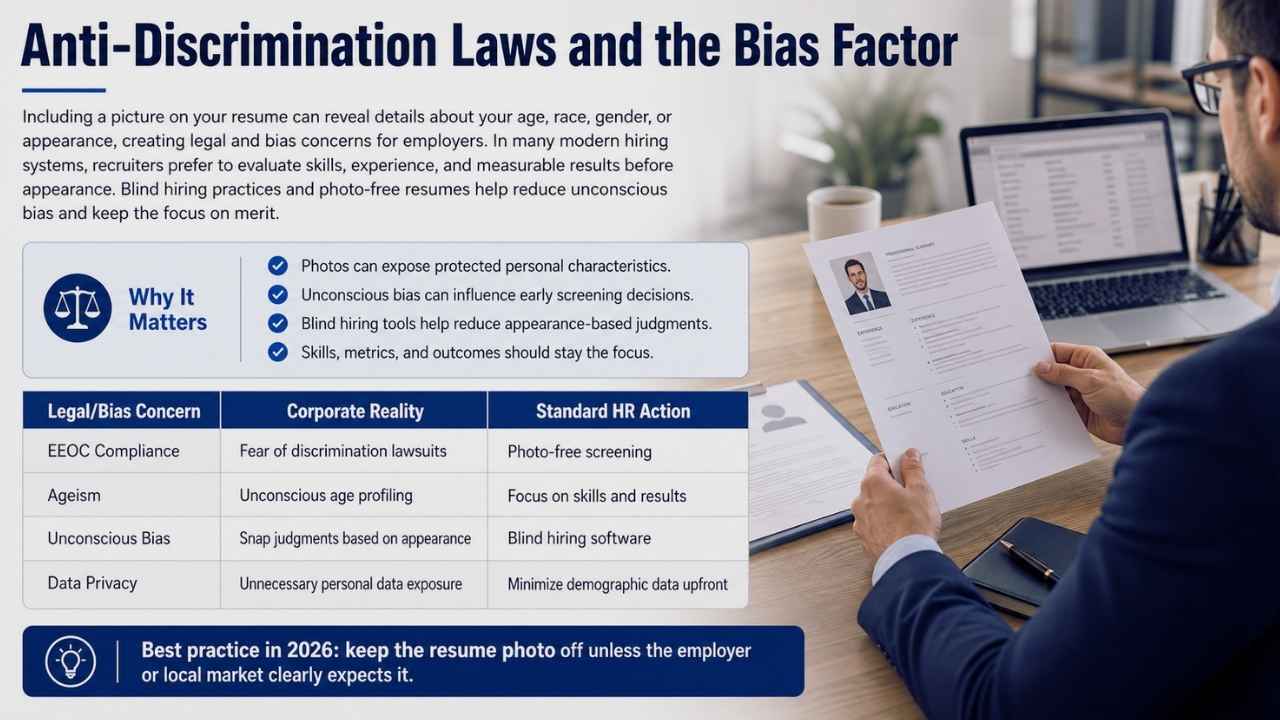
Including a picture on your resume can inadvertently reveal sensitive details about your age, race, gender, or appearance, creating significant legal risks for employers. In the United States, strict EEOC guidelines compel many companies to auto-reject applications containing headshots to prevent potential discrimination lawsuits. Even if a hiring manager has the best intentions, humans are hardcoded to judge, and a photo can trigger unconscious biases before you even get a chance to speak.
This reality has led to the widespread adoption of blind hiring software that actively scrubs images from candidate profiles to maintain a perfectly level playing field. The core philosophy driving recruitment in 2026 is data over design, where your merit, metrics, and outcomes dictate your success rather than your visual presentation. Removing the photo entirely is the easiest way to ensure total compliance with modern corporate norms across North America and the UK.
Organizations genuinely want to focus on what makes you a great candidate, not what you look like, so keep the attention locked on your professional accomplishments. Always prioritize evidence-based results over aesthetic additions to effortlessly pass these strict corporate filters.
|
Legal/Bias Concern |
Corporate Reality |
Standard HR Action |
|
EEOC Compliance |
Fear of massive discrimination lawsuits |
Immediate rejection of any photo resumes |
|
Ageism |
Unconscious age profiling by recruiters |
Relying purely on experience timelines and dates |
|
Unconscious Bias |
Snap judgments based on physical appearance |
Implementation of strict blind hiring software |
|
Data Privacy |
Unnecessary personal data collection risks |
Minimizing upfront demographic data requests |
The Global Map: Where Photos Are Expected vs. Rejected
While Western countries actively reject photos, regions like mainland Europe and parts of Asia still expect a professional headshot to build initial trust. In Germany and Austria, the traditional “Lebenslauf” often features a passport-style picture neatly placed in the top right corner. Similarly, formal corporate cultures in Japan, South Korea, and the Middle East view a high-quality resume photo as a standard business requirement.
However, if you are applying to a multinational corporation anywhere in the world, career experts strongly advise leaving the photo off, as these global entities generally follow standardized US or UK HR policies. When an image is absolutely mandatory, it must be a clear, high-resolution photo with an approachable expression, completely free from distracting backgrounds or casual clothing.
The best photo size for these specific international markets is typically a 1.2 by 1.5 inch head-and-shoulders crop. Always research the specific industry and regional norms before submitting your application to avoid accidentally crossing cultural boundaries. A crisp white or light grey background is strongly recommended to keep the image feeling formal and unobtrusive.
|
Region / Country |
Standard Stance on Photos |
Primary Reason |
|
US, UK, Canada, AUS |
Strictly discouraged and often rejected |
Anti-discrimination compliance and laws |
|
Germany, Austria |
Expected on traditional applications |
Deeply rooted traditional business etiquette |
|
Japan, South Korea |
Highly expected across most industries |
Highly formal corporate culture and trust building |
|
Middle East (UAE) |
Often requested by local employers |
Local hiring norms and personal branding |
The “LinkedIn Bridge” Strategy
Because your resume is no longer your only professional footprint in 2026, recruiters will almost certainly look you up online immediately after reviewing your application. The “LinkedIn Bridge” strategy brilliantly solves the photo dilemma by keeping your resume text-only for ATS compliance while placing a clean, clickable hyperlink to your LinkedIn profile right in the contact section. Your LinkedIn profile is exactly where hiring managers expect to see your face, and having a high-quality headshot there significantly boosts your visibility and builds trust.
This approach allows you to leverage all the benefits of a photo, humanizing your application and reinforcing your brand, without risking ATS parsing failures on the actual document. If you lack a professional picture for your social profile, modern AI headshot generators can easily transform a simple phone selfie into a studio-quality portrait for a fraction of the cost.
Just make absolutely sure the final image looks totally natural and accurately represents your current everyday appearance. By bridging your data-heavy resume with a visually appealing LinkedIn profile, you hand recruiters the absolute best of both worlds. Let your resume handle the rigid keyword matching, and let your LinkedIn handle the crucial personal connection.
|
Platform |
Photo Required? |
Primary Function in 2026 |
|
Standard Resume |
No (Discouraged) |
Formal database entry and ATS keyword parsing |
|
LinkedIn Profile |
Yes (Crucial) |
Networking, trust-building, and social proof |
|
Personal Website |
Optional (Recommended) |
Personal branding and expansive visual portfolio |
|
Job Board Portals |
No |
Automated keyword matching and initial screening |
When Including a Photo on Resume 2026 Makes Sense
There are rare but specific situations where adding a photo is highly beneficial, particularly if your physical appearance is central to the role you are pursuing. Actors, runway models, broadcast media professionals, and brand ambassadors are typically expected to provide a headshot alongside their professional history. Roles in luxury hospitality or high-profile real estate sales in specific European or Middle Eastern markets might also request a photo to convey a friendly and highly approachable personality.
If an employer explicitly asks for a picture in the job description, you must follow their instructions perfectly to demonstrate your attention to detail. When you do include one, ensure it is a high-quality image with excellent lighting, professional attire, and a clean, neutral background.
Never use casual selfies, heavily filtered social media pictures, or photos where a busy background competes with your face. The picture should quietly complement the document, never overpowering your carefully listed skills and professional achievements. Keep the resolution sharp, ideally around 300 DPI, to maintain a polished look without unnecessarily inflating the file size.
|
Profession / Field |
Photo Expectation |
Why it Works |
|
Acting / Modeling |
Mandatory |
Physical appearance is central to the actual role |
|
Real Estate |
Highly recommended |
Builds personal brand equity and local client trust |
|
Broadcast Media |
Expected |
Screen presence is heavily evaluated by producers |
|
Graphic Design |
Strictly none |
Put your visuals in an external portfolio, not the CV |
The “Two-File” Strategy for Modern Job Seekers
To cleverly navigate the complexities of modern hiring, many seasoned professionals now utilize a highly effective two-file strategy for their job search. The first file is an ATS-optimized, text-only document formatted with a single column and standard fonts like Calibri or Arial, ensuring it passes through digital portals flawlessly. This digital version completely strips away all photos, graphics, and text boxes, focusing entirely on keyword targeting and aggressively quantified achievements.
The second file is a distinct “Human Version,” which may include a professional photo, subtle color accents, and a more dynamic visual layout tailored for direct networking. You can confidently hand this visually engaging document directly to a hiring manager at a career fair, an interview, or via a direct cold email pitch. This guarantees your application survives the rigid software parse online while allowing you to present a slicker, much more memorable document face-to-face.
Just remember to always save both versions as text-selectable PDFs to preserve your formatting across different devices and operating systems. By maintaining these two distinct formats, you remain perfectly adaptable to whatever submission method the employer throws your way.
|
Version Type |
When to Use It |
Key Formatting Features |
|
ATS Version |
Online job portals, Workday, Greenhouse |
No photo, strict single column, standard text only |
|
Human Version |
Career fairs, direct emails, live interviews |
Clean visual design, subtle accents, photo if expected |
Final Thoughts
The hiring landscape moves incredibly fast, but the hard rules around visual formatting have finally settled down. Trying to aggressively stand out with a flashy headshot usually backfires on you. It triggers massive bias concerns, breaks automated software parsers, and frequently makes you look out of touch with modern business.
Your safest and most highly effective move regarding the photo on resume 2026 standard is to just leave it off completely. Spend your valuable energy where it actually counts: writing incredibly sharp, metric-driven bullet points that definitively prove your worth to an employer. Build an awesome LinkedIn profile featuring a great professional headshot, and let your strictly text-based resume do exactly what it is supposed to do—secure you the interview.
Frequently Asked Questions (FAQs) Photo on Resume 2026
What if I apply for a remote role based in Germany, but I live in the US?
Follow the culture of the company’s headquarters. If you apply to a traditional German firm, give them a photo (unless they use a massive online portal, then drop it). When in doubt, default to a text-only resume.
Can I use an AI-generated headshot if I have to include one?
AI headshots work great for fixing up LinkedIn profiles fast. If you must provide a photo for an international role, an AI-enhanced headshot is fine—as long as it looks completely natural and actually looks like you.
Will a photo help if I apply for a remote customer service role?
No. High-volume remote roles rely heavily on ATS software. A photo just triggers parsing errors.